

 We typically respond the same day

Move to HubSpot With Complete Data Confidence.
Whether you’re migrating from Salesforce, Zoho, Pipedrive, or moving your website from WordPress to HubSpot CMS, we ensure a smooth, validated transition built for long-term growth—not just a data transfer.
%201.webp?width=767&name=migration-01%20(1)%201.webp)
%201.webp?width=1200&name=migration-01%20(1)%201.webp)
Consolidate Your Tools Into One Growth Platform
HubSpot brings your CRM, marketing, sales, service, and website data into one connected system.

One Place for Every Customer Signal
When customer data lives across multiple tools, teams lose visibility. HubSpot unifies every interaction—so sales, marketing, and service work from one complete record.

Simpler Operations Across Teams
Managing separate platforms creates friction and manual work. HubSpot brings automation, pipelines, support, and content into one streamlined system for faster execution.

Cleaner Data, Better Decisions
Migration is the perfect time to reset your CRM foundation. HubSpot helps you organize lifecycle stages, segmentation, and reporting that teams can rely on.

A Platform That Scales With Growth
As your business grows, your systems must evolve with it. HubSpot supports new hubs, integrations, and customization without constant rebuilding.

Why Teams Choose HubSpot
Companies migrate to HubSpot because it is more than a CRM. It’s a connected platform designed to align teams and drive sustainable growth.
Migrate to HubSpot From Any Platform
We support CRM, CMS, and full-funnel migrations into HubSpot—cleanly and completely
Salesforce to HubSpot
Migrate from Salesforce CRM to HubSpot and keep your contacts, deals, and activities organized in one powerful revenue platform.

Pipedrive to HubSpot
Connect Pipedrive CRM to HubSpot tokeep contacts, deals, and activities unified in one powerful revenue platform.
.png)
Zoho
Connect Zoho with HubSpot to centralize marketing, sales, and reporting in one place.
.png)
Monday CRM to HubSpot
Connect Monday CRM boards and workflows with HubSpot to unify sales pipelines and automation.

Active Campaign to HubSpot
Connect Active Campaign contacts, campaigns, and automations with HubSpot for a centralized growth platform.
.png)
HubSpot to HubSpot
Consolidate or restructure multiple HubSpot accounts into one unified, optimized instance.
Migration Without the Risk
We migrate to HubSpot with a process built for accuracy, validation, and long-term usability.
- Architecture First - We map fields, lifecycles, pipelines, and relationships before importing anything—because HubSpot only works when the data model is right.
- Validation Built In - We run staged imports, reconciliation checks, and integrity testing to prevent data loss, duplicates, and broken reporting.
- SEO-Safe CMS Moves - For website migrations, we protect rankings with redirects, metadata preservation, and tracking continuity—so traffic doesn’t dip after launch.
You don’t just “move” to HubSpot—you upgrade your foundation, without breaking what already works.

Dive Into our
Client Testimonials
Listen to business owners like you share how we’ve helped them grow. Your story could be next!






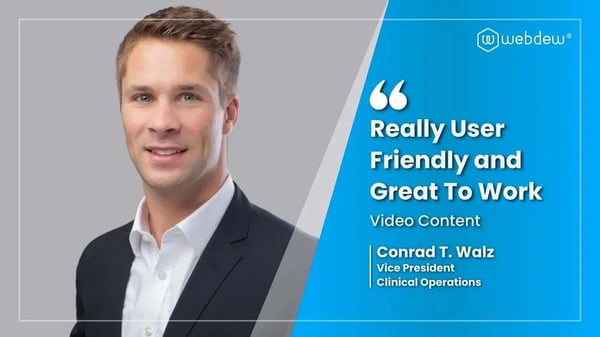
“Recently we reached out to Webdew for a website inside of HubSpot and they also did some mocking automation for us.”

“Webdew team was quite honest and quite easy to work with in terms of taking feedback implementing it, showing that it doesn’t happen again and things like making sure that it meets our expectations.”

“We worked with webdew to help us build our HubSpot website and they did an amazing job with it. They were very quick.”

“webdew has helped us optimize the sales and marketing processes, and this is automating a lot of processes.”

“Hi everyone my name is Kara and I work as a channel consultant at HubSpot Singapore. I’ve been working closely with webdew agency”

“Hi my name is Christian from OpenDoors Mortgage team and I’m in the mortgage business and just trying to work on new projects and kind of incorporating HubSpot for my operations”

“I’m one of the technology directors for Travelopia. We are the largest experiential travel company in the world. We’ve engaged webdew recently, not recently, it’s been about a couple of quarters now.”
“We came to Webdew after working with a combination of service providers to assist with our omni channel marketing efforts. Danish, Saurabh, Richa, and their entire team did a phenomenal job transitioning our previous marketing efforts and building a new omni channel offering inside of HubSpot. They were all a delight to work with and extremely flexible and capable when it came to needing adjustments to be made no matter how big or small. Highly Recommend you give them a shot.”
6x
We helped clients multiply their website conversion rates through strategic design and UX optimization.
20%
Our marketing campaigns led to a 20% uplift in customer engagement across digital channels.
2K+
Delivered over 2,000 qualified leads through targeted funnels and smart automation.
120+
Our video content has earned 120,000+ views, driving brand awareness and audience retention.
“I had a great experience working with Webdew during our Zoho to HubSpot migration, CRM implementation, and onboarding process. The team was knowledgeable, responsive, and made the entire transition seamless. They ensured our data was migrated accurately and guided us through customizing the CRM to fit our needs. The onboarding was smooth, with clear explanations and training that helped our team hit the ground running. Highly recommend their services!”
Additional Resources
Access expert tips, trends, and strategies designed for small businesses. Stay ahead of the curve and make informed decisions with our comprehensive resources!
.webp?width=767&height=432&name=Obsidian%20Insurance%20Holdings%20(1).webp)