


 We typically respond the same day

Set Up Your HubSpot CRM the Right Way
A practical checklist to help businesses organize their HubSpot CRM setup, configure essential features, align teams, and build a foundation for better sales, marketing, and customer management. Whether you are implementing HubSpot for the first time or cleaning up an existing portal, this checklist helps you understand the key steps involved.


Get Started With HubSpot CRM
Setting up HubSpot CRM involves more than creating contacts and importing data.
A successful setup requires the right structure for your teams, workflows, properties, pipelines, reporting, and automation.
This checklist covers the key setup areas businesses should review before using HubSpot as their central customer platform.
Use this checklist to understand:
- What needs to be configured before launch
- How to organize CRM data properly
- Which sales and marketing processes need alignment
- What automation and reporting should be included

HubSpot CRM Setup Checklist

Phase 1:
Account Setup & Foundation
Goal
Create a clean HubSpot environment before adding data and building processes.
Before You Start
- Create and configure your HubSpot account
- Add users and assign team permissions
- Define user roles and access levels
- Connect your company domain
- Configure email sending settings
- Connect your calendar and meeting tools
- Install HubSpot tracking code on your website
- Filter internal traffic from analytics data
- Connect required integrations

Phase 2:
CRM Data Structure Setup
Goal
Build reliable CRM data that teams can trust.
Organize Your CRM Data
- Review existing contact and company data
- Define contact properties
- Define company properties
- Create custom properties required for your business
- Forecasting setup and sales performance dashboards
- Remove duplicate or outdated records
- Define naming conventions
- Plan data import structure
- Import existing contacts and companies
- Validate imported records

Phase 3:
Sales Pipeline Configuration
Goal
Give sales teams a clear process for managing opportunities.
Build Your Sales Process Inside HubSpot
- Define your sales stages
- Create deal pipelines
- Map your existing sales process into HubSpot
- Configure deal properties
- Define lead qualification criteria
- Create sales views
- Configure activity tracking
- Connect sales email tools
- Set up meeting links
- Create email templates and snippets

Phase 4:
Marketing Setup
Goal
Capture, organize, and nurture leads through a connected marketing system.
Connect Marketing Activities With CRM
- Create forms for lead capture
- Connect forms with CRM records
- Configure lifecycle stages
- Define marketing-to-sales handoff process
- Create lead segmentation lists
- Set up email marketing settings
- Configure campaign tracking
- Connect social media accounts
- Create landing pages
- Set up conversion tracking
Phase 5:
Automation Setup
Goal
Help teams spend less time on manual updates and more time engaging customers.
Reduce Manual Work With Workflows
- Identify repetitive processes
- Create workflow requirements
- Set up lead assignment automation
- Connect your company domain
- Configure follow-up workflows
- Automate internal notifications
- Create lead nurturing sequences
- Configure customer communication workflows
- Set enrollment triggers
- Test automation before launch
Phase 6:
Service Hub & Customer Management Setup
Goal
Create a consistent customer support experience.
Build Customer Support Processes
- Create ticket pipelines
- Configure ticket statuses
- Set up shared inbox
- Connect customer communication channels
- Create support forms
- Configure ticket assignment rules
- Define response processes
- Build knowledge base structure
- Create customer feedback workflows
Phase 7:
Reporting & Analytics Setup
Goal
Give teams visibility into performance and revenue activities.
Measure Performance With HubSpot Reports
- Define business KPIs
- Create sales dashboards
- Create marketing dashboards
- Create service reports
- Configure pipeline reporting
- Review attribution tracking
- Set up custom reports
- Validate data accuracy
- Schedule regular reporting reviews
Phase 8:
Team Training & Launch
Goal
Ensure teams understand how to use and maintain the CRM.
Prepare Your Team For Adoption
- Train users on HubSpot features
- Explain CRM processes
- Review data entry standards
- Train sales teams on pipelines
- Train marketing teams on campaigns
- Explain reporting dashboards
- Document internal processes
- Review questions and feedback
- Launch HubSpot usage
Common HubSpot CRM Setup Mistakes
Avoid These Problems Before They Impact Your Team

Setting Up Without a Data Strategy
Poor property structure creates reporting problems later.
%201.svg)
Building Too Many Workflows Too Early
Automation should support a defined process, not replace one.
%202.svg)
Ignoring User Adoption
A CRM only works when teams follow consistent processes.

Skipping Reporting Setup
Without dashboards, teams cannot measure whether HubSpot is improving operations.
Need Help Setting Up HubSpot?
Move From Setup to a Revenue-Ready CRM
HubSpot CRM setup requires decisions around data structure, automation, reporting, and team processes.
webdew helps businesses configure HubSpot based on their workflows, goals, and growth plans.
Our HubSpot CRM Setup Services Include:
- CRM configuration
- Data migration and cleanup
- Pipeline setup
- Workflow automation
- Reporting dashboards
- Team training
Dive Into our
Client Testimonials
Listen to business owners like you share how we’ve helped them grow. Your story could be next!







“Webdew has successfully delivered projects and has provided services to big players in the industry. Here’s a client review of our ongoing project with Ortholive. The feedback is based on the results we delivered them in a short span of time.”

“Webdew team was quite honest and quite easy to work with in terms of taking feedback implementing it, showing that it doesn’t happen again and things like making sure that it meets our expectations.”

“We worked with webdew to help us build our HubSpot website and they did an amazing job with it. They were very quick.”

“webdew has helped us optimize the sales and marketing processes, and this is automating a lot of processes.”
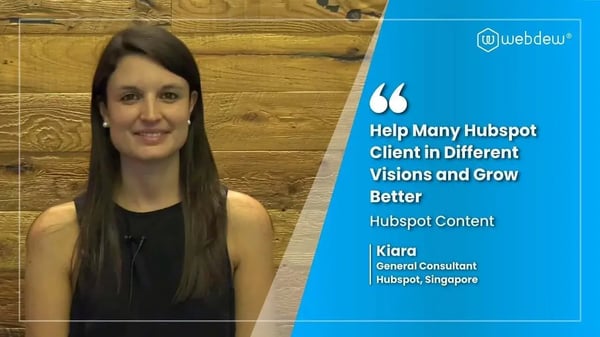
“Hi everyone my name is Kara and I work as a channel consultant at HubSpot Singapore. I’ve been working closely with webdew agency”

“Hi my name is Christian from OpenDoors Mortgage team and I’m in the mortgage business and just trying to work on new projects and kind of incorporating HubSpot for my operations”

“I’m one of the technology directors for Travelopia. We are the largest experiential travel company in the world. We’ve engaged webdew recently, not recently, it’s been about a couple of quarters now.”
“Fantastic experience with the team! Danish and his team did a fantastic job supporting me on a massive automation effort needed to bring order to a large contact base in my HubSpot account. This included creating reporting dashboards, workflow automation workflows, and converting my previous email templates into email marketing emails. Highly recommended!”

6x
We helped clients multiply their website conversion rates through strategic design and UX optimization.
20%
Our marketing campaigns led to a 20% uplift in customer engagement across digital channels.
2K+
Delivered over 2,000 qualified leads through targeted funnels and smart automation.
120+
Our video content has earned 120,000+ views, driving brand awareness and audience retention.
“Have been extremely impressed with Webdew. We needed help with getting HubSpot cleaned up and running more efficiently and they jumped right in. Also needed to freshen up our website and they have done an outstanding job. Really took the time to understand what we do, what processes we have in place and where we needed to focus. Extremely impressed so far and looking forward to continuing to work with them!”

Additional Resources
Access expert tips, trends, and strategies designed for small businesses. Stay ahead of the curve and make informed decisions with our comprehensive resources!

.webp?width=767&height=432&name=Obsidian%20Insurance%20Holdings%20(1).webp)




What a Proper HubSpot CRM Setup Delivers
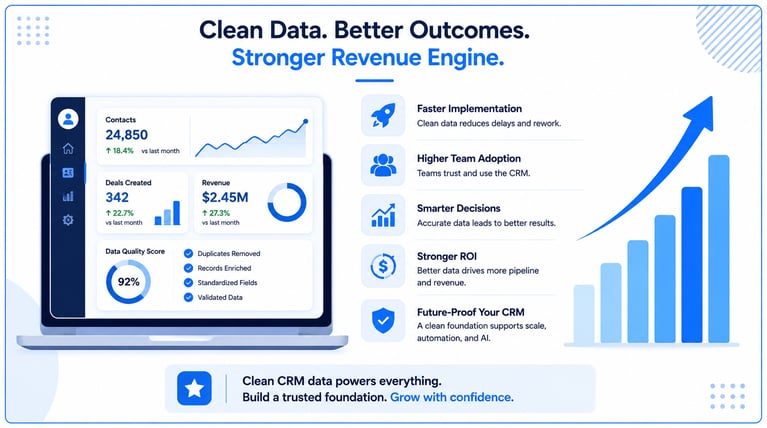
After completing the setup, your team should have: