


 We typically respond the same day


Table of contents
Introduction
Running marketing campaigns manually is like trying to fill a swimming pool with a teacup. You work harder, see less impact, and burn out faster. That is exactly where the HubSpot marketing automation tool changes the equation — it takes your most repetitive marketing tasks and handles them intelligently, so your team can focus on strategy and creativity instead.
Whether you are a growing SaaS startup or an established business scaling your lead pipeline, HubSpot's automation ecosystem is built to remove friction from every stage of the buyer journey. In this guide, we break down the most powerful HubSpot marketing automation features, show you how to set them up, and share the best practices that help you convert smarter — not just faster.
According to Oracle, HubSpot marketing automation can increase leads by 80% and boost sales productivity by 14%. Seventy per cent of businesses say the top benefit is reaching customers more accurately.
New to HubSpot? Before diving into automation, read our guide — What is HubSpot and What Can You Do With It?
What Is HubSpot Marketing Automation?
At its core, HubSpot marketing automation is the process of using rule-based logic and behavioral triggers to execute marketing tasks automatically — without manual input every time. When a visitor downloads your ebook, fills a form, or clicks a specific link, HubSpot can instantly enroll them into a tailored communication sequence, update their contact record, notify your sales team, and score them as a lead — all in seconds.
Unlike generic email schedulers, HubSpot's automation tools are native to its CRM. Every automated action feeds directly into the same database your sales and service teams use. This unified data environment is what makes HubSpot genuinely different from standalone automation platforms.
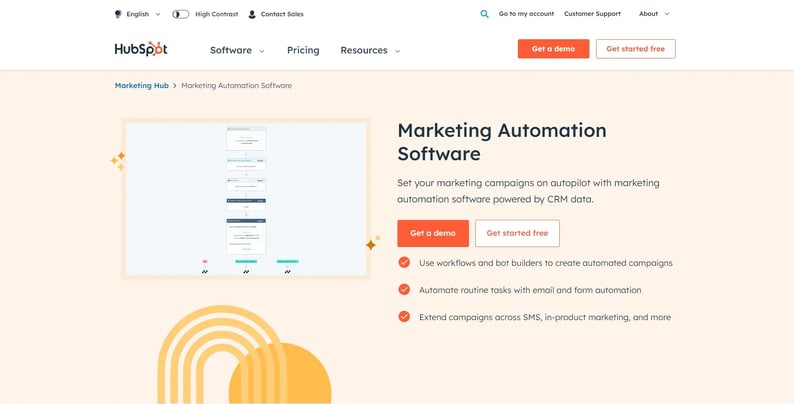
Looking for a full platform overview? The Definitive Guide to Getting Started with HubSpot CRM"
Top HubSpot Marketing Automation Features
Here are the features that consistently deliver the most impact for businesses of all sizes.
1. HubSpot Workflows — The Smart Automation Engine
HubSpot workflows are the backbone of the entire automation system. You define a trigger a form submission, a page view, a deal stage change and then build a sequence of actions: send an email, update a contact property, create a task, add to a list, or notify a sales rep.
Workflows can branch with if/then logic, making them adaptive to individual behaviour rather than one-size-fits-all blasts. For example, if a contact opens your pricing email, the workflow can route them toward a sales follow-up. If they do not open it, they continue down a softer nurture path. Multi-step workflows in the Professional tier allow complex sequences that span weeks and respond to engagement signals in real time.
2. HubSpot Email Automation
HubSpot email automation goes far beyond scheduled newsletters. It lets you send behaviour-triggered emails — a follow-up when someone visits your pricing page, a reminder when a cart is abandoned, or a personalised welcome when a contact reaches a new lifecycle stage.
Each email pulls dynamic data from the CRM — first name, company, last interaction, deal amount — ensuring every message feels written for that specific person rather than broadcast to a list. Open rates and click-through data automatically feed back into contact scores, refining your segmentation over time.

3. Automated Lead Nurturing
Not every lead is ready to buy on day one. Automated lead nurturing in HubSpot keeps your brand relevant across the entire decision timeline. Contacts move through educational, consideration, and decision-stage content sequences without any manual coordination from your team.
You set the rules once; HubSpot delivers the right asset at the right moment — a thought leadership piece for early-stage prospects, a detailed case study for bottom-of-funnel leads evaluating vendors. This systematic approach dramatically reduces the time your sales team spends chasing cold contacts who were never close to converting.
4. HubSpot Lead Management and Scoring
HubSpot lead management becomes genuinely powerful when combined with lead scoring. You assign positive and negative point values to specific behaviours — visiting the pricing page (+10), unsubscribing from emails (−5), attending a webinar (+15). When a contact crosses your threshold score, they are automatically handed to sales, complete with behavioural context, not a cold name.
This removes the guesswork from sales prioritisation entirely. Your team calls leads who are actively showing purchase intent, not whoever happened to be imported into the CRM most recently.
5. Smart Lists and Dynamic Segmentation
Smart lists in HubSpot update themselves in real time based on criteria you define — industry, last activity date, lifecycle stage, deal amount, or any custom property. Unlike static exports, they automatically remove contacts who no longer qualify and add new ones the moment they meet your rules.
This dynamic segmentation powers truly personalized campaigns. A smart list of contacts who viewed your pricing page in the last seven days but have not requested a demo is a high-intent remarketing audience. You can target them with a workflow, a paid ad, or a sales task within minutes of identifying them.
6. Smart Content and Personalization
HubSpot's smart content feature lets you show different versions of web pages, CTAs, and emails to different audience segments — without building separate pages for each. A returning customer sees a loyalty offer; a first-time visitor sees a free trial CTA. Smart content tokens pull any CRM field into your copy, including company name, job title, or the last product page they visited.
This level of personalization, delivered at scale and without manual effort, is one of the most underused HubSpot marketing automation features available to businesses with a diverse customer base.
7. Third-Party App Integrations
HubSpot connects with over 1,500 tools, including Salesforce, Zoom, Slack, Zapier, Google Ads, and Mailchimp. In an automation context, this means you can trigger events in outside applications via workflows — registering a contact in Zoom when they fill a webinar form, creating a Slack notification when a deal closes, or pushing enriched lead data to a custom CRM via API. This two-way data flow makes HubSpot a true operational hub rather than an isolated island.
Explore the full integration ecosystem: 25 HubSpot Integrations to Get the Best Out of HubSpot
8. Automation Analytics and A/B Testing
Every workflow, email sequence, and campaign comes with native performance data — open rates, click rates, goal completions, and revenue attribution. HubSpot's A/B testing tool lets you run two versions of an email subject line, body copy, or CTA against each other, then automatically routes the winning version to remaining contacts.
This built-in optimisation loop means your automated sequences improve over time without requiring a separate analytics stack or a dedicated data team.

How to Set Up HubSpot Automation (Step-by-Step)
Many businesses have HubSpot but never unlock its automation potential because the initial setup feels overwhelming. Here is a straightforward process for getting your first workflow live:
Step 1 — Define your goal. Decide what outcome you want — nurture new leads, re-engage cold contacts, onboard new customers, or alert sales. A clear goal shapes every decision that follows.
Step 2 — Navigate to Automation → Workflows. Click "Create workflow" and choose a contact-based, deal-based, company-based, or ticket-based workflow depending on your use case.
Step 3 — Set your enrollment trigger. Common triggers include form submissions, page views, email link clicks, contact property changes, or deal stage updates. The trigger is what starts the journey.
Step 4 — Build your action sequence. Add email sends, time delays, if/then branches, property updates, task creation, and team notifications. Keep sequences focused — three to five well-timed steps often outperform twenty loosely connected ones.
Step 5 — Define a goal and suppression list. Tell HubSpot what success looks like — a demo booked, a purchase completed. When a contact meets the goal, HubSpot removes them from the sequence automatically, preventing over-communication.
Step 6 — Test before activating. Use HubSpot's Test mode to run a sample contact through the workflow and verify each step fires correctly. Then activate and monitor performance in the first 48 hours.
Pro tip: Start with one high-impact workflow — such as a lead magnet follow-up sequence — before building ten simultaneously. Master the logic, review the results, then expand.
Best HubSpot Marketing Automation Practices
Automation only works as well as the strategy behind it. These best HubSpot marketing automation practices separate high-performing teams from those who simply flip a switch and hope for results.
Align automation with intent. Map each workflow to a specific buyer stage — awareness, consideration, or decision. A contact who just discovered you needs different content than one who has compared you against three competitors.
Personalize beyond first names. Use the company name, industry, last visited page, or deal stage in your email copy. HubSpot's personalisation tokens make this straightforward. Generic "Hi " openers no longer move the needle on their own.
Set suppression rules. Always exclude existing customers from new lead nurture sequences. HubSpot lets you suppress contacts by list membership, lifecycle stage, or any property value.
Audit workflows quarterly. Sequences accumulate over time. Schedule a quarterly review to retire stale automations, update outdated content offers, and realign triggers with your current buyer journey.
Use goal tracking on every workflow. Without a defined goal event, you cannot determine whether an automation is driving conversions or running silently in the background with zero business impact.
Do not automate relationships away. High-value accounts and late-stage prospects often benefit from a genuine human touchpoint. Use automation to set up the conversation — not to replace it entirely.
Automate Social Media with HubSpot
Social media management is one of the most time-intensive marketing tasks, yet it is frequently overlooked as an automation opportunity. HubSpot's built-in social tools let you automate social media with HubSpot across LinkedIn, Facebook, Instagram, and X from a single dashboard.
Schedule posts in bulk for weeks ahead so your content calendar runs on autopilot, even when your team is focused elsewhere. Monitor brand mentions and keywords in real time and respond directly from within HubSpot without switching between platforms. Connect social activity to CRM contacts — when a known prospect engages with your LinkedIn post, HubSpot logs it on their record, giving sales a natural conversation opener. Measure social ROI through campaign attribution reporting that ties social clicks directly to contacts, leads, and closed revenue.
Combining HubSpot's social scheduling with workflow automation creates a seamless acquisition loop: a prospect clicks your LinkedIn post, lands on a gated asset, submits a form, and is automatically enrolled in a nurture sequence — all without any manual handoff.
See automation in action — discover how webdew helped a client automate deals, workflows, and email marketing end to end: HubSpot for Brand Awareness and Streamlining the Sales Process
Final Thoughts
The most powerful HubSpot automation tools are only as effective as the strategy and intent behind them. Starting with a clear goal, building focused workflows, and reviewing performance regularly will put you ahead of the businesses that automate indiscriminately and wonder why the results are flat.
Whether you are setting up your first HubSpot workflow, rebuilding an underperforming email sequence, or scaling a full-funnel lead nurturing program, HubSpot's platform gives you the infrastructure to do it all — without needing a developer or a large marketing operations team.
If you want expert guidance on setting up or auditing your HubSpot automation, Webdew's certified HubSpot specialists are ready to help.
👉 Get a Free HubSpot Consultation with webdew
Dive Into our Client Testimonials
Listen to business owners like you share how we’ve helped them grow. Your story could be next!






The webdew team is very supportive, they provide us with thoughtful suggestions.
We contracted webdew to build our new website. And let me tell you, they did a fantastic job. Their team was really easy to communicate with.”
The webdew team is very supportive, they provide us with thoughtful suggestions.
We contracted webdew to build our new website. And let me tell you, they did a fantastic job. Their team was really easy to communicate with.”
The webdew team is very supportive, they provide us with thoughtful suggestions.
We contracted webdew to build our new website. And let me tell you, they did a fantastic job. Their team was really easy to communicate with.”
“We worked with Chehak over the past several months to create a series of animated videos for an academic planner that we produce. And from the very beginning, she was absolutely professional and a pleasure to work with.”


6x
We helped clients multiply their website conversion rates through strategic design and UX optimization.
20%
Our marketing campaigns led to a 20% uplift in customer engagement across digital channels.
2K+
Delivered over 2,000 qualified leads through targeted funnels and smart automation.
120+
Our video content has earned 120,000+ views, driving brand awareness and audience retention.
“I recently had the pleasure of working with Chehak on a video demo project, and I was thoroughly impressed with her services.”