

 We typically respond the same day

Table of contents
With the covid-19 pandemic still around, it looks like the remote work will stay for longer than expected! And while many organizations are adhering to the rules by managing work remotely, it can be pretty challenging to stay productive and manage every task while working from home.
Fortunately, working remotely is no longer as challenging as it appeared when the companies had to go remote in March 2020! Thanks to a plethora of project management tools that can help remote teams with whatever they’re working on.
ClickUp is one of those tools that can streamline your entire team for remote work. Having used the ClickUp project management tool for over a year now, I can say this with sheer confidence that one can certainly make the most of their time through the right project management tool.
Read on to get an inside look at what this project management tool has in-store for you!
ClickUp for work from home
Going remote was undoubtedly a massive shift for most people. Nevertheless, just because the employees are not physically present at the workspace doesn’t mean they can’t be productive!
If your organization has a remote workforce, ClickUp is undoubtedly the only task management tool you’ll need. Used by teams and organizations of all types and sizes across the globe – ClickUp project management tool has pretty much all the features you need to stay ahead in the game!
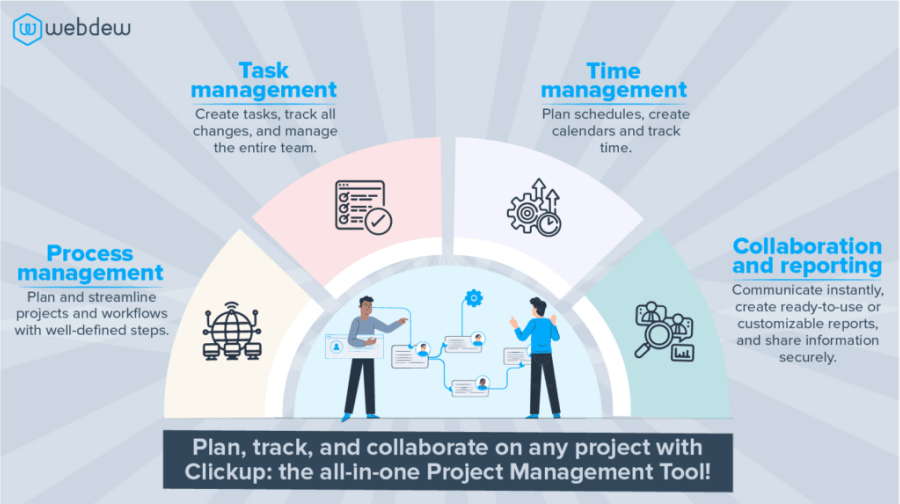
Let’s go through some of the incredible features of ClickUp, which ease the challenges of remote work.
Organized Structure
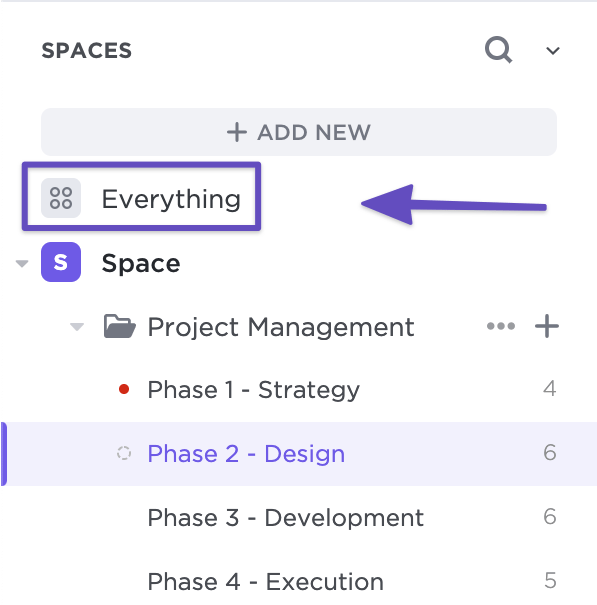
ClickUp shows us the same structure which we can experience while working from office space. There are features to manage Spaces > Folder > List > Task > Subtask > Subtask chain. This chain helps us manage the project and organize things effortlessly and easily, which can otherwise appear messy while working from home.
Tracking timeline
ClickUp also has a feature to track the project’s timeline to manage the project as per the estimated time. With the help of the calendar view in ClickUp, one can track the progress or timeline of the entire project. And by setting up the estimated time for a particular task or subtask, one can manage the project task by task.

Creation of project layouts
In ClickUp, the user can create a complete project requirement at the initial stage, leading to clarity regarding the path to complete the project in the given time period and as per the requirements.
Access and sharing permission
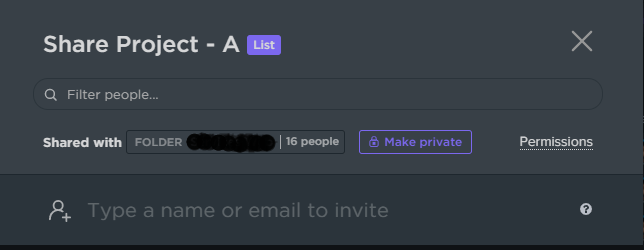
ClickUp also provides us the feature of keeping confidential information secure. With the access and sharing permissions feature, only those employees can access or work on the project with access to the particular folder, list, or task.
Performance tracking
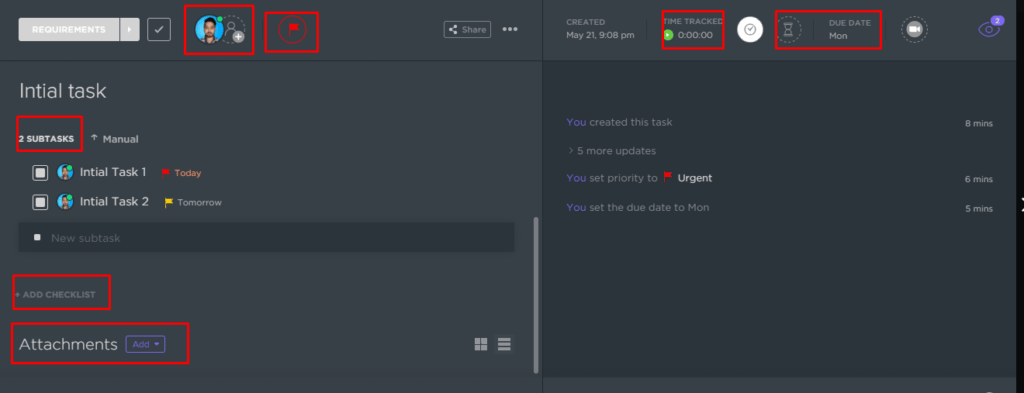
If we talk about tracking the performance, then ClickUp is the best option for any organization. It tracks time spent on tasks and subtasks, and the organization can have detailed information on which employee spent how much time to complete a particular task or subtask. This data can easily be integrated with a remote workforce solution to gain better insight into team productivity.

Multiple options for a single task
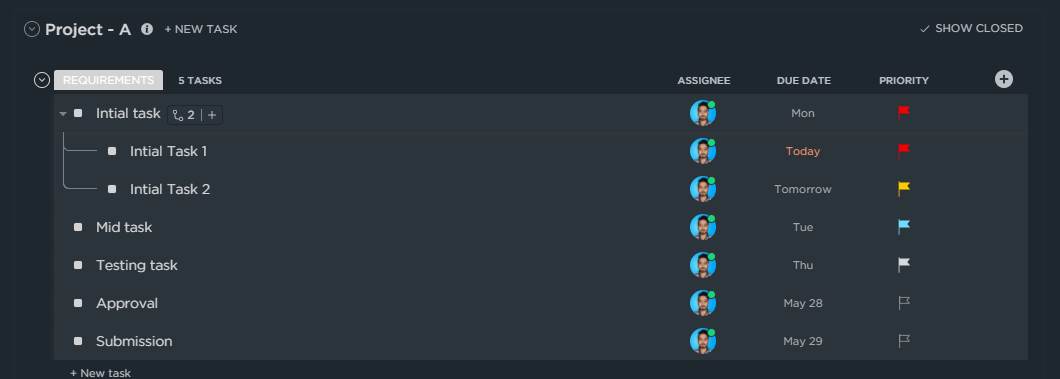
Organizations using ClickUp can apply multiple options to a single task. They can assign a task or subtask to multiple team members, set due dates on it, set estimation time for any task, and set the task’s priority. Every task/subtask has a template option, checklist option, and attachment option.
Assign comment to a specific person
In ClickUp, organizations can assign a comment to any employee and know their reaction to the assigned comments. And the employee will also get a notification for the assigned comment.

Search and filter option
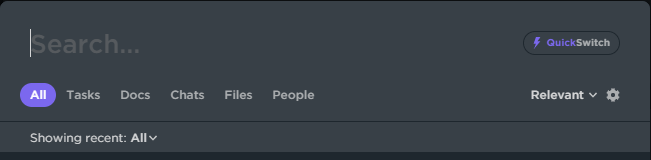
ClickUp also has a search and filter option, which is simple to use and consists of smart features. We can quickly search any of the tasks in any of the list folders. Filter option is also simple to use; we can use the filter based on: assignee, comments, status, tag, due date, etc.
Integration
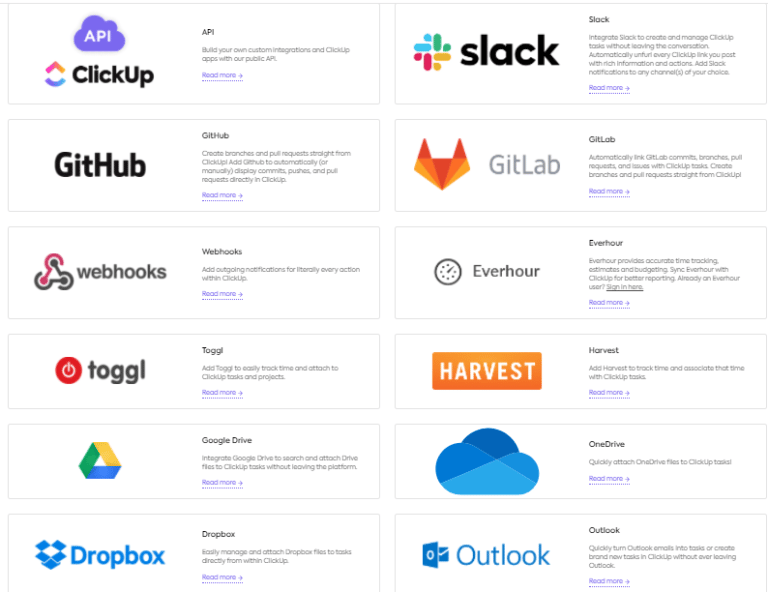
ClickUp can be integrated with many popular applications such as Slack, outlook365, Google calendar, GitHub, Dropbox, one drive, etc. These integrations are pretty handy while working from home or working from office space.
Video conferencing
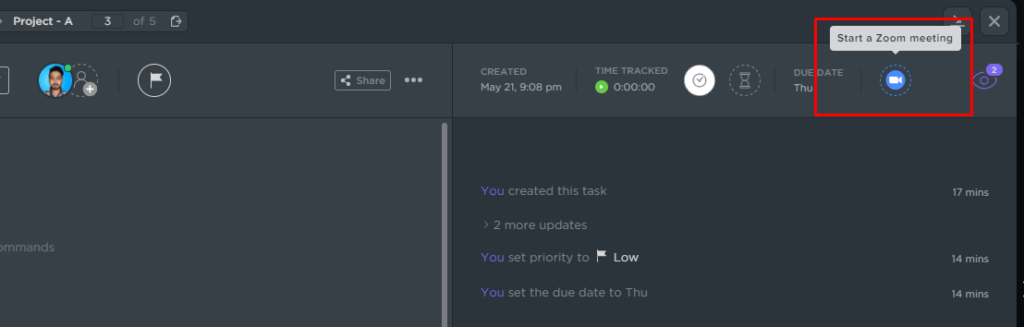
ClickUp also comes up with a zoom video calling feature, which we can see in every task. This pretty much eases coordination during remote work, as no one needs to go to separate zoom calls to have a video conferencing or meeting.
The Bottom Line
It’s no secret that the covid pandemic has constrained organizations to go remote. However, it can be pretty challenging for an organization to get the work done by their employees efficiently and productively in the current work-from-home scenario.
Although, it doesn’t quite indicate that your work processes have to get interrupted. Luckily, project management tools make this process pretty easy. With ClickUp Project Management, you can bring your entire team and projects under one roof and manage things smoothly.
So, what are you waiting for? Get ready to organize better, and boost your team’s productivity with the ClickUp project management tool!
Editor: Richa Sharma
Dive Into our
Client Testimonials
Listen to business owners like you share how we’ve helped them grow. Your story could be next!





.svg)

“Recently we reached out to Webdew for a website inside of HubSpot and they also did some mocking automation for us.”

“Webdew team was quite honest and quite easy to work with in terms of taking feedback implementing it, showing that it doesn’t happen again and things like making sure that it meets our expectations.”

“We worked with webdew to help us build our HubSpot website and they did an amazing job with it. They were very quick.”

“webdew has helped us optimize the sales and marketing processes, and this is automating a lot of processes.”

“Hi everyone my name is Kara and I work as a channel consultant at HubSpot Singapore. I’ve been working closely with webdew agency”

“Hi my name is Christian from OpenDoors Mortgage team and I’m in the mortgage business and just trying to work on new projects and kind of incorporating HubSpot for my operations”

“I’m one of the technology directors for Travelopia. We are the largest experiential travel company in the world. We’ve engaged webdew recently, not recently, it’s been about a couple of quarters now.”
“We worked with Chehak over the past several months to create a series of animated videos for an academic planner that we produce. And from the very beginning, she was absolutely professional and a pleasure to work with.”


6x
We helped clients multiply their website conversion rates through strategic design and UX optimization.
20%
Our marketing campaigns led to a 20% uplift in customer engagement across digital channels.
2K+
Delivered over 2,000 qualified leads through targeted funnels and smart automation.
120+
Our video content has earned 120,000+ views, driving brand awareness and audience retention.
“I recently had the pleasure of working with Chehak on a video demo project, and I was thoroughly impressed with her services.”
.svg)

Additional Resources
Access expert tips, trends, and strategies designed for small businesses. Stay ahead of the curve and make informed decisions with our comprehensive resources!