

 We typically respond the same day

Table of contents
-
User- Friendly
MP3 Studio
- MP3Studio is an easy-to-use multimedia converter that caters to diverse user platforms. It is designed for PC users, providing a seamless experience for watching, downloading, and converting YouTube videos.
-
Easy-to-use

By Click Downloader
- ByClick Downloader does an excellent job of achieving its goal – making it easy for users to quickly download the content they want from YouTube or other audio sources.
-
Advanced
4K YouTube to MP3
- This tool is better than others and is easy to use. It lets you get high-quality audio without losing its original sound quality. You can separately and listen to them whenever and wherever.
In a world where online content is king, we all have that one YouTube video or playlist we wish we could carry with us everywhere in the form of an MP3 file.
Well, good news – we’re diving into the digital realm of 2026 to explore 15 of the best free YouTube to MP3 converter!
Whether you’re a fan of podcasts, music, or educational content, these tools promise to make your online experience even more dynamic.
So, buckle up as we discover the top converters that’ll turn your favourite videos into portable audio goodness.
Best 15 Free YouTube To MP3 Converter
Having the right YouTube to MP3 converter is of utmost importance. I am saying this not because of the MP3 quality but the scarcity of reliable tools.
Only a handful of tools are genuine and authentic, whereas the rest are spam. To ease your confusion, here is the list of the best free YouTube To MP3 converters. As these tools are hand-picked, I can guarantee their uptime and features.
1. MP3 Studio
MP3Studio is a swift and intuitive multimedia converter designed for PC users, providing a seamless experience for watching, downloading, and converting YouTube videos.
With an impressive array of supported formats, including MP3, AVI, MP4, MOV, VMV, FLV, WMA, and more, MP3Studio caters to diverse user preferences and platforms, offering a versatile solution for multimedia conversion.
MP3 Studio
- Background batch download of audio
- Rich Format Support
- Instant Conversion
- Cross-platform compatibility, including Mac, Windows, and Android users.
Here are the conversion and downloading options in MP3 Studio. You just need to copy and paste the video link and select the format you want for the final output.
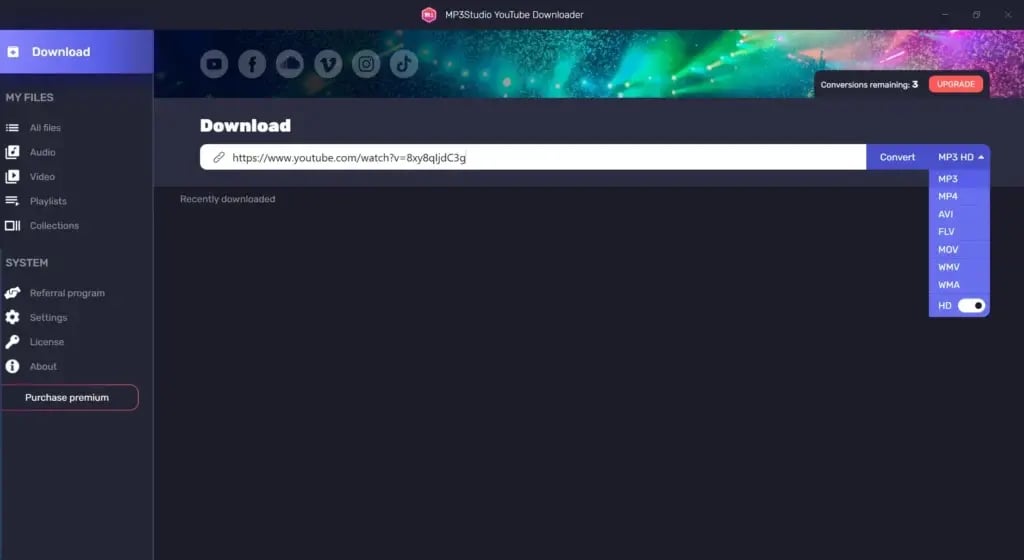
Here is the converted audio.
Now, let us quickly check out the pros and cons of MP3 Studio.
Pros
- You can convert up to 99 items
- It supports 1080p resolution.
- It has a built-in music player.
Cons
- No iOS App is available.
- Only three conversions per day in the free version.
Here is the pricing plan for the MP3 Studio.
MP3 Studio Pricing Plans
-
Free
2. By Click Downloader
You can use a simple program called ByClick Downloader to convert videos into MP3 format.
While recent software can convert YouTube videos and audio could be better, more efficient, and more valuable, This tool stands out with its many capabilities.
On the positive side, this YouTube MP3 downloader app does an excellent job of achieving its goal – making it easy for users to quickly convert the content they want from YouTube or other audio sources. It follows a simple step-by-step approach, and you can get all its features with just one click.
The platform supports over 40 sites, including Facebook, YouTube, Vimeo, etc. It supports Chrome, Firefox, IE, and Edge.
By Click Downloader

- Supports various file types like MP3 and MP4
- Gives the choice to download videos using proxies
- Works with browsers like Google Chrome browser, Mozilla Firefox, and Internet Explorer
Here are the options for converting the video into MP3 audio by using this excellent YT to MP3 converter.
Just copy and paste the video link and choose the option ‘MP4 to MP3’ and it’s done.
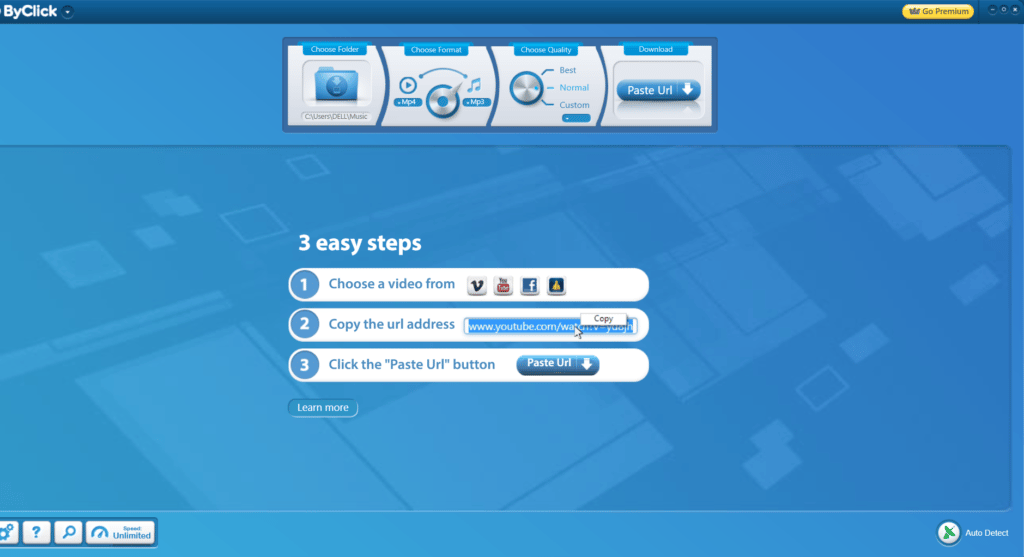
Now that you know the feature, let’s take a look at the pros and cons.
Pros
- It works with all popular file formats for output and provides high-quality video support.
- You can line up the Top 100 videos.
- Use the audio to make custom ringtones.
- It provides 30 days money-back guarantee.
Cons
- The maximum resolution is 8K.
But what about the pricing plan? Does it provide any free plan? Let’s check out.
By Click Pricing Plans
-
Free version
-
Unlimited: $4.99
3. 4K YouTube to MP3 Converter
This tool is better than others and is easy to use. It lets you get high-quality audio without losing its original sound quality. You can separately and listen to them whenever and wherever.
This YouTube video to mp3 converter online download lets you set up a special connection and puts all the videos in a list. You can use it to convert your videos from YouTube.
4K YouTube to MP3
- Convert words and add the video
- Option to get 3D videos
- Download your own videos from YouTube
- Works on multiple platforms
- Extracts subtitles from videos
Here are the options for converting video and audio using the 4K Vid tool.
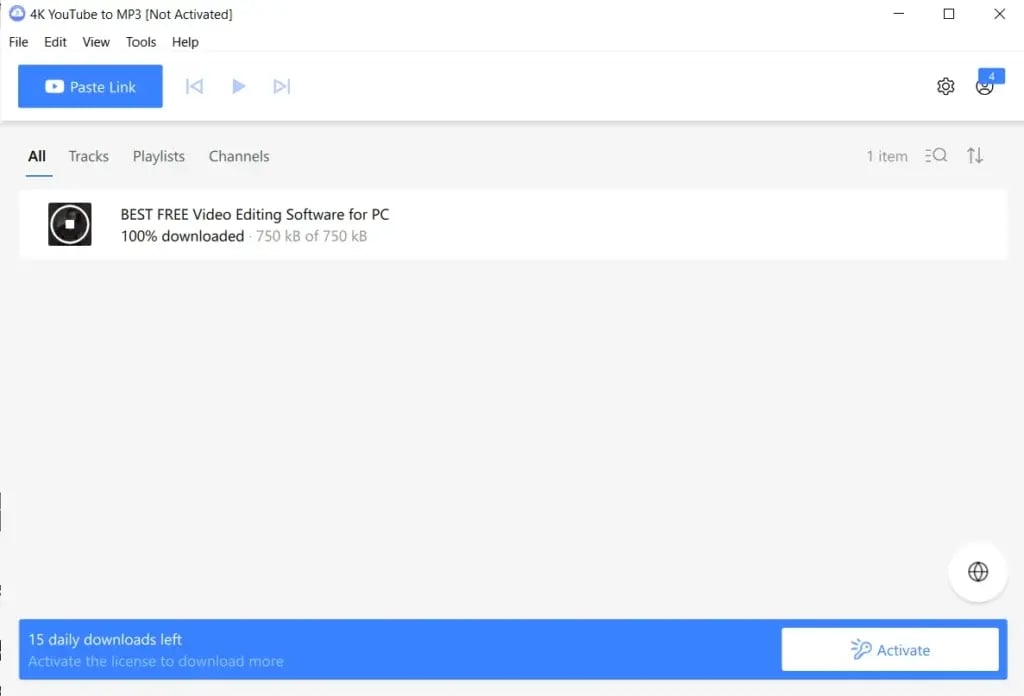
Here is the converted audio.
Now, let us quickly check out the pros and cons.
Pros
- It has a simple installation process.
- It has an easy and convenient user experience.
- The tool has reliable customer support.
- It provides regular updates with new features.
- You can convert files for free
Cons
- The free version has limited video downloads
- Ads in the free version
Here is the pricing plan for the.
Pricing Plans
-
Paid Plan: $15/license for 3 devices
4. MP3 Juice
Users can have access to over 45 million tracks with a straightforward installation process. The app offers a user-friendly experience, letting you search for your favourite songs, choose the quality and format, and save them to your device.
Despite its popularity, some users encounter device compatibility issues, but for many, MP3Juice remains a top choice for conversion.
MP3Juice
- Extensive music library, including more than 45 million tracks
- Built-in music player with features like album art and audio information display
- URL Support from various platforms, including YouTube, SoundCloud, and other services
- Multi-Format Support, including MP4 and M4a
Now, let us quickly check out the pros and cons of MP3Juice.
Pros
- You can select the destination folder.
- Users can easily share their favourite music tracks with others on social media platforms.
- MP3Juice allows users to save unlimited songs daily.
- MP3Juice is compatible with mobile devices.
- Built-in Music Player with features like album art and audio information display. Users can also save song lyrics for an enhanced listening experience.
Cons
- Some users report device compatibility issues.
- iOS and macOS users may need extra applications, such as Readdle, to save files on their devices.
- The platform does not support the offline conversion of YouTube videos into music formats.
Here is the pricing plan of MP3Juice.
MP3Juice Pricing Plans
-
Free
5. ToMP3.cc
ToMP3.cc is a user-friendly and free YouTube to MP3 converter, offering a swift and efficient solution for converting favourite YouTube videos into high-quality MP3 files.
This online tool prioritizes simplicity, allowing users to extract audio from YouTube videos without the hassle of registering an account.
With ToMP3.cc, the process is straightforward – users can copy and paste the video link from YouTube, select MP3 as the output format, and promptly convert and save the MP3 file, providing a convenient way to enjoy YouTube content as audio files.
ToMP3.cc

- Copy-Paste Conversion
- Fast, safe, and secure
- Output Format Selection
Here are the conversion options of ToMP3.

Here is the saved audio.
Now, let us quickly check out the pros and cons of ToMP3.cc.
Pros
- ToMP3.cc ensures a user-friendly experience, making converting YouTube videos to MP3 files accessible to users with varying technical expertise.
- The absence of account registration simplifies the user experience, allowing for quick and hassle-free conversion.
- ToMP3.cc prioritizes fast, safe, and secure conversions, providing users with a reliable platform for converting YouTube content into high-quality audio files.
Cons
- Users may face ad interruptions.
Here is the pricing plan for ToMP3.cc.
ToMP3.cc Pricing Plans
-
Free
6. MP3FY
MP3FY is a user-friendly YT MP3 converter online designed for the effortless conversion of YouTube videos into MP3 and MP4 formats.
With a straightforward two-click process, it is a convenient and easy-to-use solution, eliminating the need for registrations.
Boasting compatibility with over 1000 websites, MP3FY ensures a seamless experience for users seeking high-quality conversions, reaching up to 320 kbps. Additionally, it provides a solution for accessing videos that may be blocked or unavailable in specific regions.
MP3FY

- Built-in video search functionality
- Batch convert YouTube to MP3 320kbps
- Versatile options without limitations
- Automatic bitrate selection ensures quality conversions up to 320 kbps.
- 6X faster video/audio conversion speed
Here are the conversion options of MP3fy.
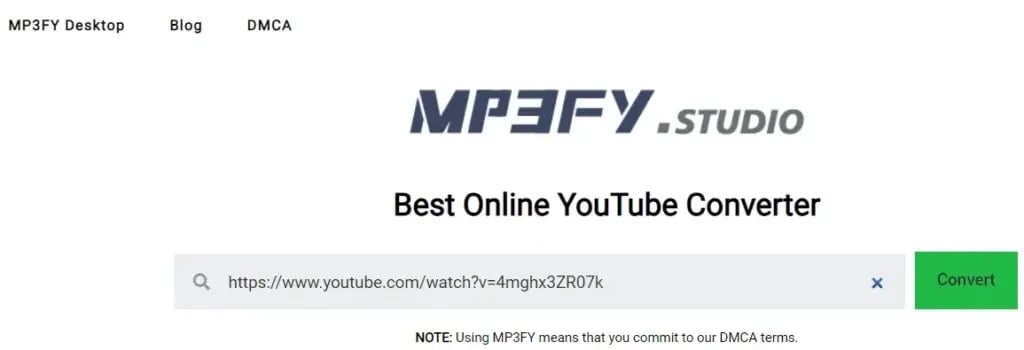
Here is the downloaded audio.
Now, let us quickly check out the pros and cons of MP3FY.
Pros
- It provides a streamlined two-click conversion process.
- It supports over 1000 websites.
- There is no registration required.
Cons
- It has limited advanced features compared to premium converters.
- It depends on internet connectivity for operation.
Here is the pricing plan for MP3FY.
MP3FY Pricing Plans
-
Free
7. Y2mate
Y2mate emerges as a versatile online tool designed for effortlessly downloading video and audio content from YouTube.
Beyond YouTube, Y2mate extends its capabilities to download and convert content from various platforms like Facebook, Dailymotion, Youku, and more, allowing users to transform videos into MP3 or MP4 formats in HD quality.
Y2mate

- Versatile Video Download in resolutions ranging from 144p to 1080p.
- Audio Download and MP3 Conversion
- Converts videos to HD losslessly
- Creates an animated GIF with a video or images
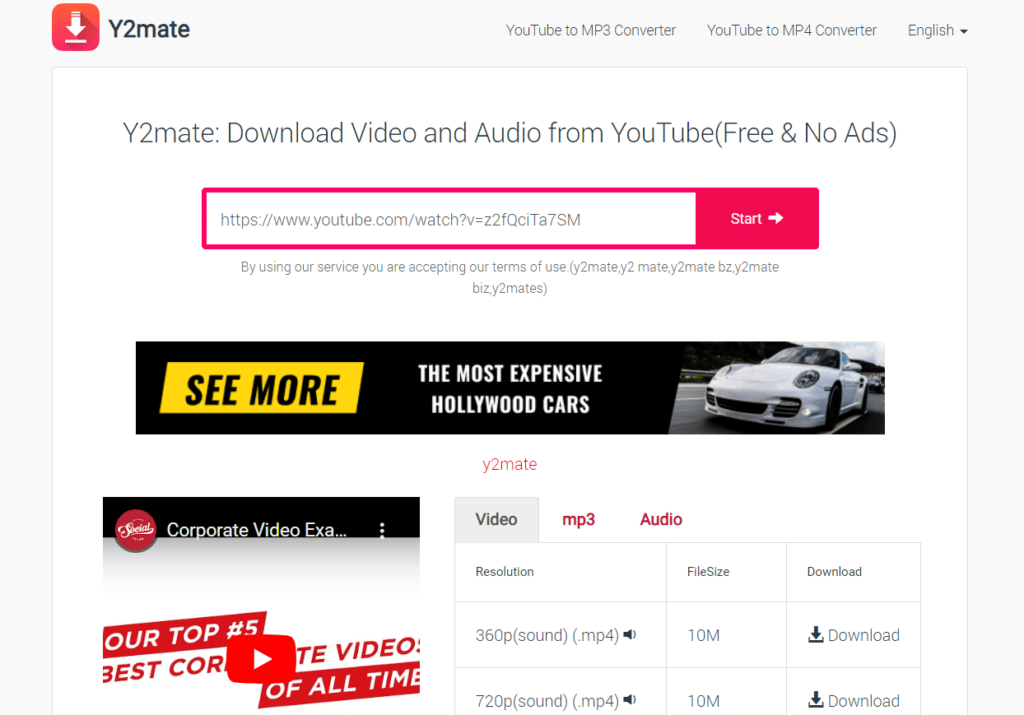
Here are the downloading options of Y2mate you need to know.
Now, let us quickly check out the pros and cons of Y2Mate.
Pros
- It has a user-friendly interface
Cons
- Only supports two video and audio formats
- Users should expect occasional ads.
Here is the pricing plan for Y2Mate.
Y2Mate Pricing Plans
-
Paid Plan: $15/license for 3 devices
8. aTube Catcher
aTube Catcher stands out as a flexible and easy-to-use video-to-MP3 converter that allows users to save videos from YouTube and other platforms.
With its interface rich in features and dependable performance, aTube Catcher proves to be an invaluable tool for preserving and archiving content.
aTube Catcher

- Batch downloading
- Converts to popular formats
- Automatic file conversion
- Download audios from various sites like YouTube, Dailymotion and Metacafe
- Option to create VCDs, DVDs and Blu-ray discs
- Basic video editing tools
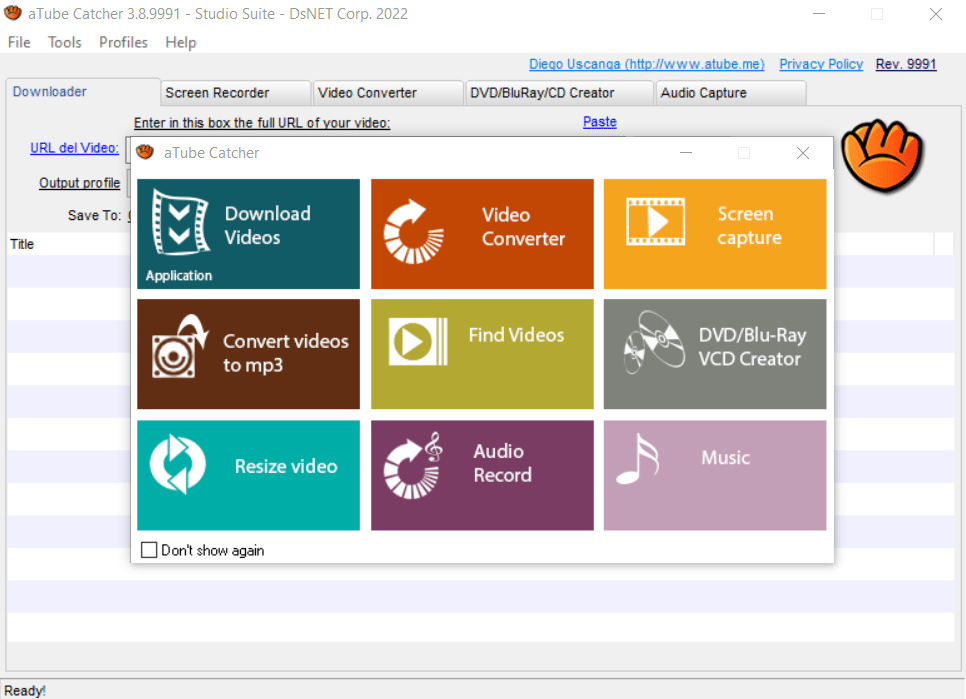
Here are the options for downloading video using this excellent conversion tool.
Here is the downloaded audio.
Now, let us quickly check out the pros and cons of aTube Catcher.
Pros
- A cost-free solution for offline viewing.
- Compatible with Windows, Mac, and Linux.
- It is available in three languages – English, Spanish, and Portuguese.
Cons
- Adware in installer
- Some features are hidden
Here is the pricing plan of aTube Catcher.
aTube Catcher Pricing Plans
-
It is free to download
9. Converto
Converto has gained popularity as a prominent free online YouTube to MP3 DOWNLOADER, offering users a straightforward solution for downloading videos by simply pasting the YouTube URL and initiating the download process.
This user-friendly platform provides essential features for users seeking a hassle-free experience converting YouTube content to MP3 format.
Converto

- Allows users to customize filenames
- Automatic album art addition to all MP3 files
- Audio Ripping Capability
- Supports MP3 format only
The downloading options of Converto.

Now, let us quickly check out the pros and cons of Converto.
Pros
- Converto operates as an online tool, eliminating the need for users to download software.
- Converto boasts an easy-to-use interface.
- Users benefit from a rapid conversion process, allowing them to get MP3 files promptly.
- It is available in 15+ languages.
Cons
- It is limited to YouTube Account Holders.
- It supports MP3 format only.
- Converto’s customer care may need to meet users’ expectations.
Here is the pricing plan for Converto.
Converto Pricing Plans
-
It is free to download
10. Wondershare UniConvertor
With Wondershare UniConverter, you can do lots of things with videos online. You can download, shrink, edit, burn, and move videos and also the audio.
It’s not just for that – you can also make and edit videos on this platform. When we looked into UniConverter, we found it supports about a thousand different video types.
And guess what? It’s super fast compared to other video converters. It can change videos thirty times quicker than the rest. You can even use it to make DVDs and Blu-Ray CDs.
Another cool thing is you can download videos from the internet and put them on your phone. People call this tool powerful, like the ultimate and limitless tool.
Uni Convertor

- Download videos and audios from the internet and put them on the phone
- Super fast compared to other video converters
- Converts videos to HD losslessly
- Creates an animated GIF with a video or images
- Supporting a wide range of popular formats and codecs, including AV1, VP9, VP8
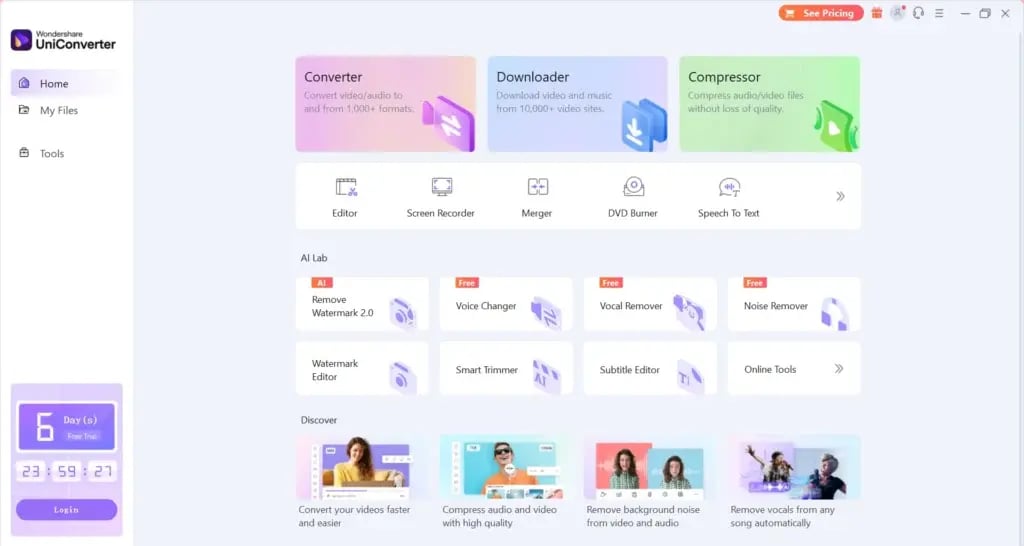
Here are the options for downloading audio using the Uni Convertor tool.
Now, let us quickly check out the pros and cons of Uni Convertor.
Pros
- Many video, audio, and image formats are available.
- It casts videos using the TV as a media server.
- It extracts lossless audio from a video.
Cons
- There is no free trial.
Here is the pricing plan for the Uni Convertor.
Uni Convertor Pricing Plans
-
Quarterly Plan: $29.99
-
Yearly Plan: $39.99
-
Perpetual: $55.99
11. Vidmate
Vidmate, a versatile application tailored for Android devices, stands out as a robust solution for downloading YouTube videos directly as MP3 files.
Positioned as the premier YouTube MP3 converter app, Vidmate boasts a user-friendly interface that simplifies the process of searching, selecting, and downloading videos in a variety of qualities to cater to individual preferences.
Vidmate

- Rapid Download Speed
- Available in over 11 languages
- Offers access to live TV with 200+ channels
- Supports multiple connections for expedited downloads
- Supports Android, Windows 7/8/8.1/10
- Supports MP3, M4A, and other compatible formats.
Now, let us quickly check out Vidmate’s pros and cons.
Pros
- The application provides an easy-to-use interface.
- Vidmate lets users download videos from various sites, including popular platforms like Instagram, Facebook, and YouTube.
Cons
- One notable drawback is that Vidmate is not accessible through the official Android Play Store,
Here is the pricing plan for the Vidmate.
Vidmate Pricing Plans
-
It is free to download
12. Allavsoft
Allavsoft simplifies downloading movies, videos, music files, and subtitles from over 1000 media-sharing sites, including YouTube, Spotify, Facebook, Vimeo, Twitter, and more.
Along with downloading videos in the original format, this professional tool offers a one-click option to download and convert videos to different formats such as MP3, MP4, AVI, and WMV.
Furthermore, this versatile tool is capable of downloading videos in various resolutions, including 8K, ultra-high definition (4K), 3D video, HD 2k, HD 1080p, HD 720p, and standard definitions like 480p, 360p, and 240p.
Allavsoft provides a comprehensive solution for users seeking a seamless and efficient way to download and convert multimedia content from various online sources.
Allavsoft

- Batch download and convert
- Preview and playback downloaded video files
- Download YouTube VR 360 Videos
- Schedule download times
Here are the conversion and downloading options in Allavsoft. With this YouTube convertor MP3, you just need to copy and paste the video link and select the format you want for the final output.
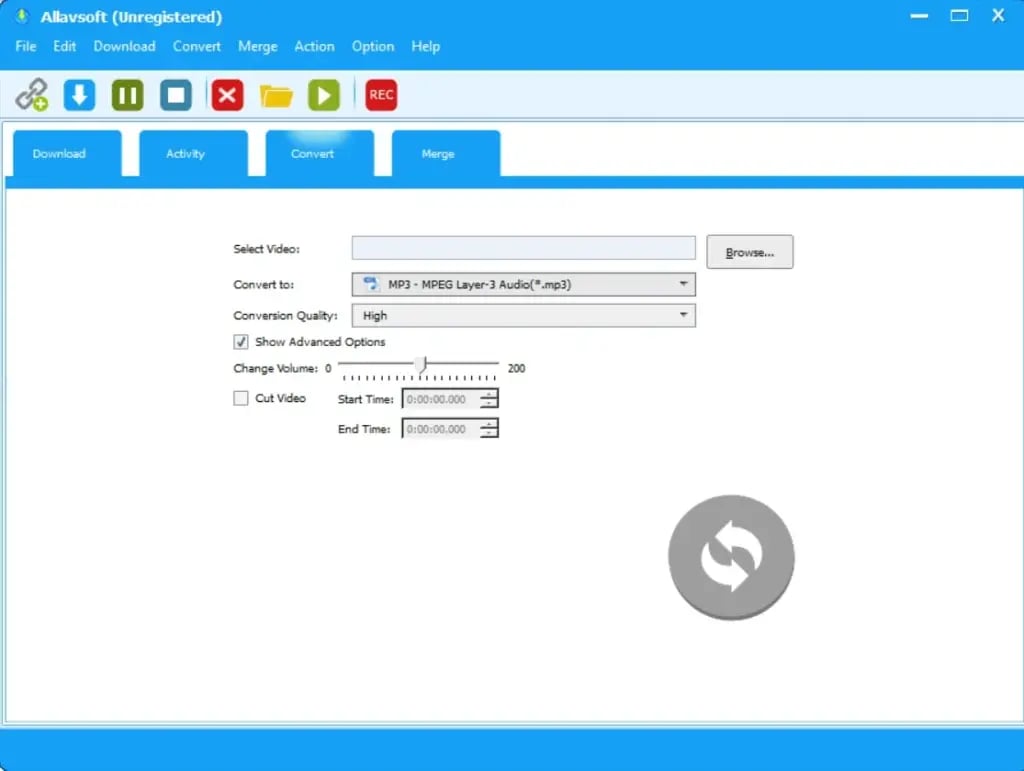
Here is the downloaded audio.
Now, let us quickly check out the pros and cons of Allavsoft.
Pros
- It provides high download speed.
- It keeps the history for downloading.
- It gives 30 days money-back guarantee.
Cons
- Sometimes one can face difficulty in downloading.
Here are the pricing plans for Allavsoft.
Allavsoft Pricing Plans
-
Free Plan: $0
-
Plus: $20/month
-
Max: $40/month
13. Big Converter
BigConverter is an efficient online tool designed to seamlessly convert YouTube videos into various audio and video formats, primarily focusing on the popular MP3 format.
Offering high-quality conversion, this platform extends its support beyond YouTube, including compatibility with other popular sites such as Facebook, Twitter, Vimeo, Instagram, Dailymotion, and Google Drive.
Big Converter

- Convert and download MP3 music of YouTube videos in formats including MP3, M4a, and AAC
- Cloud Support, where user can store converted files in their Dropbox accounts.
- Cross-platform compatibility, including Google Chrome, Safari, Android Browser, and more
- File Editing Features
- Online MP3 Cutter
- Support for YouTube-Associated Portals
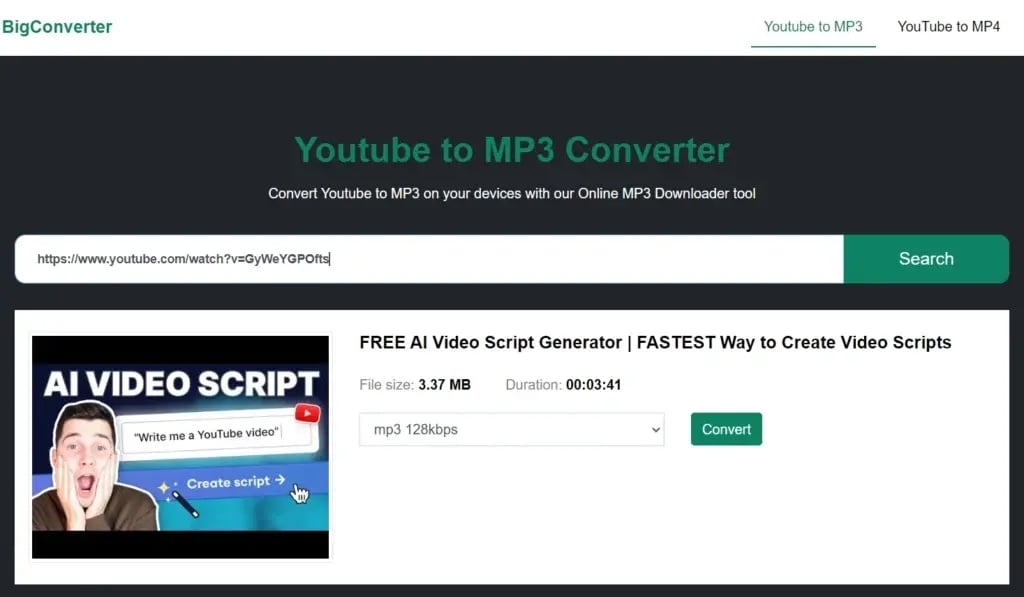
Here are the video converting and downloading options. You just need to copy and paste the link, and it’s done.
Now, let us quickly check out the pros and cons of Big Converter.
Pros
- BigConverter stands out for its swift conversion process, ensuring a quick turnaround without compromising security.
- The platform’s design makes it easy for users to navigate and convert videos hassle-free.
Cons
- One limitation of BigConverter is that it restricts the conversion of videos longer than 90 minutes.
Here is the pricing plan for Big Converter.
Big Converter Pricing Plans
-
It is free to download
14. OnlyMP3
OnlyMP3 emerges as a user-friendly YouTube to MP3 converter, offering a quick and straightforward solution to convert beloved YouTube videos into high-quality MP3 audio files.
One of its key advantages is the absence of a registration requirement, ensuring a hassle-free experience for users seeking efficiency and simplicity. This free online tool emphasizes fast downloads while prioritizing the safety and security of converted audio files.
OnlyMP3

- Offers Unlimited Conversions
- Fast Downloads
- Compatible with all devices like PCs, Mobile phones, MAC, and Tablets
- Compatible with all browsers like Chrome, Firefox, Microsoft Edge, Safari, etc.
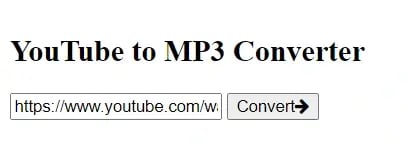
You just need to copy and paste the link of the Youtube video for which you need to extract the audio and click on ‘Convert’. It’s done.
Now, let us quickly check out the pros and cons of OnlyMP3.
Pros
- OnlyMP3 provides a straightforward and user-friendly interface.
- There is no registration required. It enables quick and hassle-free conversion of YouTube videos to MP3.
- It is available in 20 languages.
Cons
Here is the pricing plan for OnlyMP3.
OnlyMP3 Pricing Plans
-
It is free to download
15. YTMP3
YTmp3 is a versatile online application designed to convert YouTube videos to MP3 format, offering a convenient way to download your favourite audio content.
As one of the best MP3 song download sites, YT mp3 stands out by allowing users to download videos with a maximum length of 1 hour.
YTMP3

- URL copy-paste for video conversion into MP3 audio.
- One-click file save
- Software-free MP3 enjoyment
- Accessibility across desktops, tablets, and mobile devices.
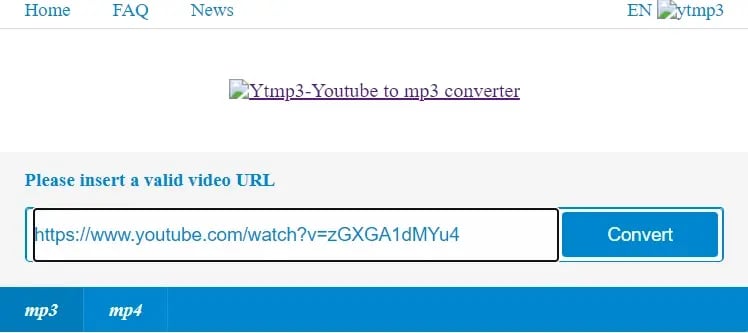
Here are the downloading options for YTMP3. Just paste the link of the video and convert it into audio. Don’t forget to open YouTube and copy the source link first.
Now, let us quickly check out the pros and cons of YTMP3.
Pros
- No additional software or app installation is required.
- Efficient Video-to-MP3 Conversion
- User-Friendly URL Conversion
Cons
- YTmp3 may not support video downloads from platforms other than YouTube.
- YTmp3 relies on web access for its functionality, and users may face limitations in offline usage.
Here is the pricing plan for YTMP3.
YTMP3 Pricing Plans
-
It is free to download
Ready to Convert YouTube to MP3?
And there you have it, folks – a roundup of the 15 free YouTube to MP3 converters making waves in 2024!
From user-friendly interfaces to lightning-fast conversions, these tools cater to the diverse needs of content enthusiasts around the globe and help convert and download YouTube videos to MP3 format.
Let us know in the comments which converter you find the best.
Also, if you think that you need some professional help to create effective videos to grow your business, contact webdew.
Dive Into our Client Testimonials
Listen to business owners like you share how we’ve helped them grow. Your story could be next!





The webdew team is very supportive, they provide us with thoughtful suggestions.
We contracted webdew to build our new website. And let me tell you, they did a fantastic job. Their team was really easy to communicate with.”
The webdew team is very supportive, they provide us with thoughtful suggestions.
We contracted webdew to build our new website. And let me tell you, they did a fantastic job. Their team was really easy to communicate with.”
The webdew team is very supportive, they provide us with thoughtful suggestions.
We contracted webdew to build our new website. And let me tell you, they did a fantastic job. Their team was really easy to communicate with.”
“We worked with Chehak over the past several months to create a series of animated videos for an academic planner that we produce. And from the very beginning, she was absolutely professional and a pleasure to work with.”


6x
We helped clients multiply their website conversion rates through strategic design and UX optimization.
20%
Our marketing campaigns led to a 20% uplift in customer engagement across digital channels.
2K+
Delivered over 2,000 qualified leads through targeted funnels and smart automation.
120+
Our video content has earned 120,000+ views, driving brand awareness and audience retention.
“I recently had the pleasure of working with Chehak on a video demo project, and I was thoroughly impressed with her services.”


Additional Resources
Access expert tips, trends, and strategies designed for small businesses. Stay ahead of the curve and make informed decisions with our comprehensive resources!