

 We typically respond the same day

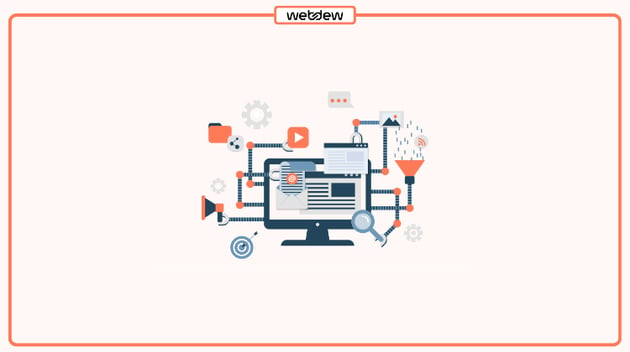
Most B2B SaaS teams buy HubSpot for the workflow builder, then use about a fifth of what it can do. The trial email sequence gets built, a lead rotation rule gets set up, and the rest of the automation engine sits untouched while the funnel keeps leaking. This is not a knock on the teams. The features that handle real funnel complexity, the ones built for multiple ICPs, self-serve plus sales-assisted motions, and usage-based expansion, are buried three menus deep and rarely show up in onboarding.
That gap has a cost. According to HubSpot's 2025 State of Sales report, sales reps spend only 33% of their time actively selling, with the rest lost to admin, data entry, and manual steps that automation was supposed to remove. The problem for scaling SaaS companies is usually not too little automation. It is shallow automation: workflows that send an email and assign a task but never touch product signals, billing data, or the branching logic a complex pipeline actually needs.
This piece walks through eight HubSpot automation features that B2B SaaS teams underuse, what each one does, and why it tends to go unused. Where a feature carries a real setup cost or a tier requirement, that is called out so you can judge fit before you build.
TL;DR
The most valuable HubSpot automation for SaaS sits below the surface: custom code actions and webhooks that connect product and billing data to the CRM, data quality actions that clean records automatically, calculated properties that feed accurate lead scores, go-to actions and re-enrollment settings that keep complex workflows from breaking, Breeze AI actions that research and summarize inside a workflow, and product-usage triggers that fire on real behavior instead of form fills. These features go unused because they require RevOps thinking, sit in higher tiers like Data Hub, or never appear in default onboarding. Teams that adopt them move from workflows that automate busywork to workflows that drive pipeline and retention.
Why do teams underuse HubSpot automation in the first place?
Before the list, it helps to name the pattern, because the same three causes explain almost every feature below.
The first cause is onboarding scope. HubSpot's guided setup covers lead capture, a welcome email, and basic rotation. That is enough to look automated on day one, so most teams stop there. HubSpot's own documentation is fragmented across the Knowledge Base and Academy, and there is no single page that lists every workflow capability, so discovery depends on hunting or hiring help.
The second cause is tier placement. Some of the highest-impact actions, programmable automation and the AI data actions among them, live in Data Hub (the tool formerly called Operations Hub, renamed at INBOUND 2025) or require Professional and Enterprise seats. Teams on Starter plans never see them, and teams that have the tier often do not know it is included.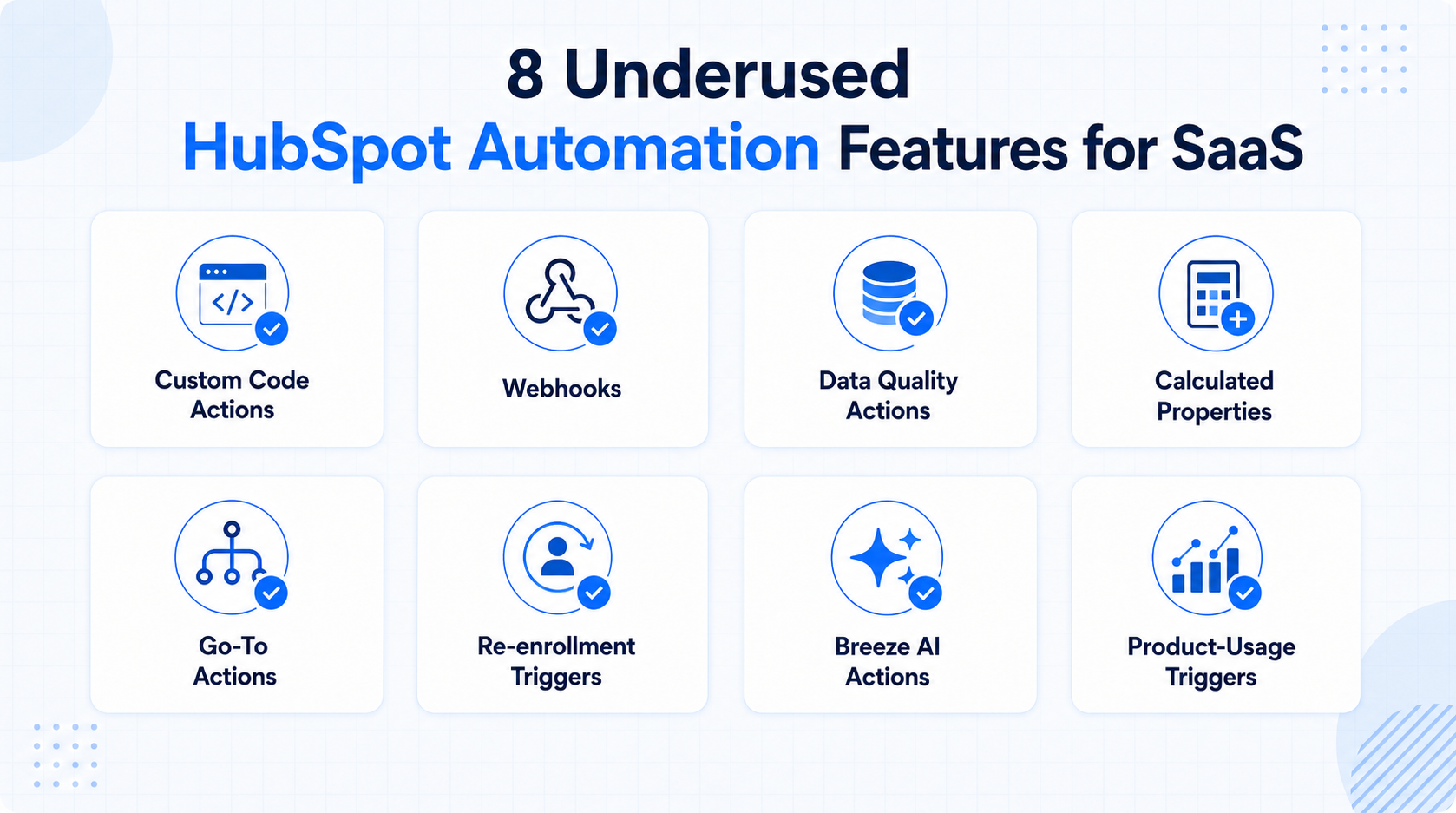
The third cause is skill mix. Custom code actions, webhooks, and calculated-property logic sit closer to RevOps and light development than to marketing. Without someone who thinks in systems, these tools feel risky, so they stay off.
Keep those three causes in mind. Each feature below is underused for at least one of them.
1. Custom code actions inside workflows
Custom code actions let you write JavaScript or Python that runs natively inside a HubSpot workflow. HubSpot provides testing and debugging tools, and you do not need to be a senior developer to use them, because many common jobs are short snippets. You can make API calls, run calculations that standard actions cannot handle, transform data, and route records with logic that branches would make unmanageable.
For SaaS, this is the difference between a CRM that records history and one that acts on it. A renewal workflow that copies line items to a new deal, a commission calculation that accounts for contract length, a lead-routing rule that weighs territory and product interest at once: these are custom code jobs. HubSpot's own use case library shows teams using it for ERP integrations, data enrichment, and renewal communications.
Why it goes unused: it requires code, it lives in Data Hub Professional, and it reads as a developer tool rather than a marketing one. The fix is usually one afternoon with someone who can write the snippet once, after which the action is reusable across the portal. A HubSpot Solutions Partner such as Webdew can build these actions for teams without an in-house developer, which is a common first step for companies moving past out-of-the-box automation.
2. Webhooks that push and pull data in real time
A webhook action sends CRM data to an outside system, or pulls data back in, the moment an event fires. Where a native integration syncs contact fields on a schedule, a webhook responds instantly: a trial user completes onboarding step three, HubSpot fires a webhook to your billing system, checks payment status, and triggers the right next step. That is orchestration, and it closes the handoff gaps that neither HubSpot nor most CRMs automate on their own.
Webhooks fire across every workflow object, including contacts, companies, deals, tickets, and quotes, and support both POST and GET requests. HubSpot retries failed webhooks for up to three days, so a downstream outage does not silently drop the event. For a SaaS stack that spans product analytics, billing, and support, this is the layer that keeps systems in sync without re-keyed data.
Why it goes unused: the webhook action lives in Data Hub Professional, and configuring the request body and query parameters looks intimidating to non-technical users. The payoff is the elimination of the manual cross-system tasks that eat hours every week.
3. Data quality automation actions
Dirty data quietly breaks every report, segment, and workflow built on top of it. HubSpot's data quality actions fix common problems automatically inside a workflow: formatting phone numbers, fixing date properties, capitalizing names, and standardizing country and state values. Cleaned data then flows into every connected app through data sync, so the fix improves your whole stack, not just HubSpot.
For B2B SaaS teams running account-based motions, this matters more than it sounds. Territory routing, ICP scoring, and deduplication all depend on consistent property values. A contact with "usa," "U.S.," and "United States" scattered across records will route wrong and report wrong. A cleanup workflow that runs on enrollment keeps that from happening.
Why it goes unused: it does not send emails or create tasks, so it produces no visible output, which makes it easy to skip. It also sits in Data Hub. Teams that adopt it usually do so after a reporting problem forces the issue, when they would have saved the pain by building it earlier.
4. Calculated and custom properties as scoring inputs
Most teams score leads on form fills and email opens. HubSpot lets you build calculated properties, fields whose value is derived from other properties through a formula, and feed those into scoring and branching. You can calculate days since last login, total feature-adoption count, or a weighted engagement figure, then branch a workflow on the result.
This is what separates a marketing-qualified lead from a product-qualified lead. A PQL model needs product signals, and calculated properties turn raw usage numbers into the thresholds a workflow can act on. Pair a calculated property with HubSpot's predictive Likelihood to Close score and you can branch nurture paths so a lead just below the qualification line gets one more targeted touch instead of a generic drip.
Why it goes unused: building the formula requires thinking through the scoring model first, and that strategy work is the hard part, not the HubSpot mechanics. Teams that skip it default to vanity scoring that treats an email open the same as a pricing-page visit.
5. Go-to actions to keep complex workflows maintainable
As SaaS pipelines grow, workflows sprawl. Multiple if/then branches often need to end in the same place, and copying the same three steps into every branch creates a workflow nobody can safely edit later. The go-to action solves this: it routes records from any branch back to a common action, so you build the shared steps once and point every path at them.
This is a maintainability feature, not a flashy one, which is exactly why it gets ignored until a workflow becomes a tangle. For teams running self-serve and sales-assisted motions through one pipeline, go-to actions keep the logic readable and cut the risk that a future edit breaks a path you forgot existed.
Why it goes unused: it solves a problem you only feel once workflows get complex, so early-stage teams never reach for it, then inherit the mess later. Building with go-to actions from the start is far cheaper than untangling branches after the fact.
6. Re-enrollment triggers for lifecycle and renewal loops
By default, a contact flows through a workflow once. Re-enrollment settings let a record enter again each time it meets the trigger criteria, which is essential for anything cyclical: renewal reminders, usage-threshold alerts, or a lead that re-engages after going cold. Turn re-enrollment on for the right triggers and a single workflow handles the loop instead of firing once and forgetting the contact.
For SaaS, renewals and expansion are recurring events, not one-time ones. A renewal workflow without re-enrollment covers the first cycle and misses every one after. A high-intent alert that fires only on a contact's first pricing-page visit misses the second, more serious visit three weeks later.
Why it goes unused: re-enrollment is a per-trigger setting inside the workflow's configuration, not a headline feature, so teams leave it at the default and never learn why their cyclical workflows only run once. The fix takes one checkbox and a moment of thought about which triggers should repeat.
7. Breeze AI actions for research and summarization
Breeze is HubSpot's AI layer, and it now runs as steps inside a workflow. A Breeze data agent research step can scan a contact's company website and public profile when they convert, pulling details like recent funding or hiring signals into the record. Other Breeze actions analyze, summarize, and categorize data from enrolled records, so a workflow can enrich and qualify without a human doing the reading.
The practical value for SaaS is speed on inbound. When a demo request comes in, a Breeze research step can surface company context before the rep opens the record, so the first call starts informed instead of cold. These actions consume HubSpot Credits, so there is a usage cost to model, but for high-intent leads the trade is usually worth it.
Why it goes unused: it is new, teams do not yet think of AI as a workflow step, and the credit model makes people cautious before they have tested the return. Starting with one high-value trigger, such as demo requests, is the low-risk way to prove it.
8. Product-usage triggers for PQL and expansion signals
The biggest gap for most SaaS teams is that product-activity data lives in one system and the CRM lives in another. HubSpot workflows can enroll and act on product events sent through an integration: a login, a feature first used, or a usage threshold crossed. When those signals reach HubSpot, a workflow can update the contact, enroll them in a product-tips series, and alert sales the moment usage crosses a high-intent line.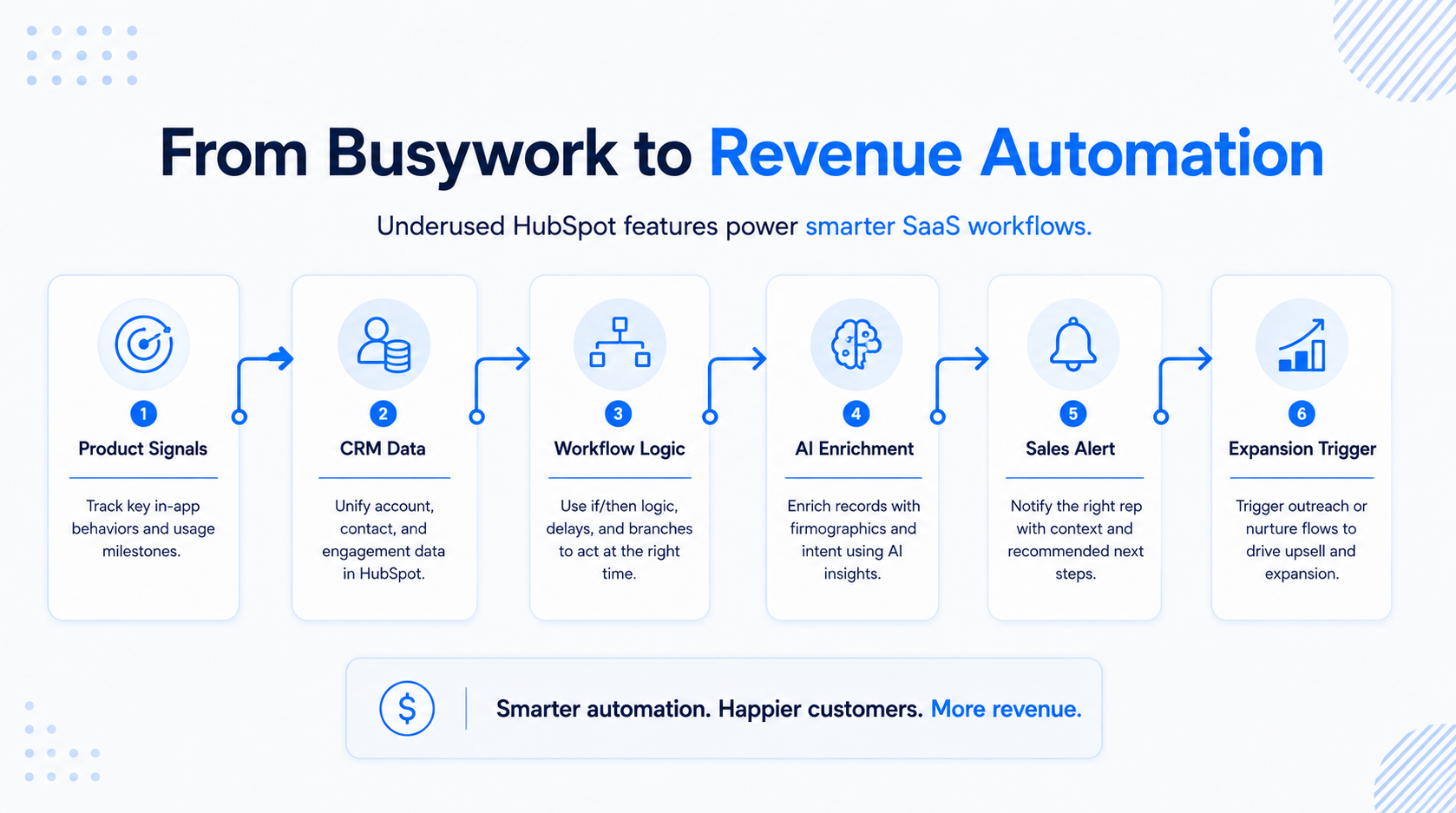
This is the mechanism behind product-qualified lead scoring and behavior-based expansion. Without it, your CRM is a historical record; with it, it becomes a system that reacts to how people actually use the product. Renewal reminders shift from time-based to risk-based, and expansion outreach fires on real adoption instead of a calendar date.
Why it goes unused: it requires wiring product events into HubSpot first, which is an integration and data-modeling job that sits across engineering and RevOps. That upfront work is real, which is why many teams put it off, and why it separates the SaaS companies whose HubSpot drives revenue from the ones whose HubSpot just stores it. Webdew has documented this kind of build in its work scaling HubSpot CRM for B2B SaaS, where product signals and clean data turned a static portal into a revenue engine.
How should a SaaS team prioritize these features?
Start with the two that improve everything downstream: data quality automation and calculated properties. Clean, well-structured data makes every other workflow, score, and report more reliable, and it does not require code. Next, add the connective tissue: webhooks and custom code actions to link product and billing data, since orchestration is where the biggest time savings live. Then layer in the logic and intelligence features, go-to actions and re-enrollment for maintainable cyclical workflows, and Breeze plus product-usage triggers for the PQL and expansion motions that drive SaaS growth.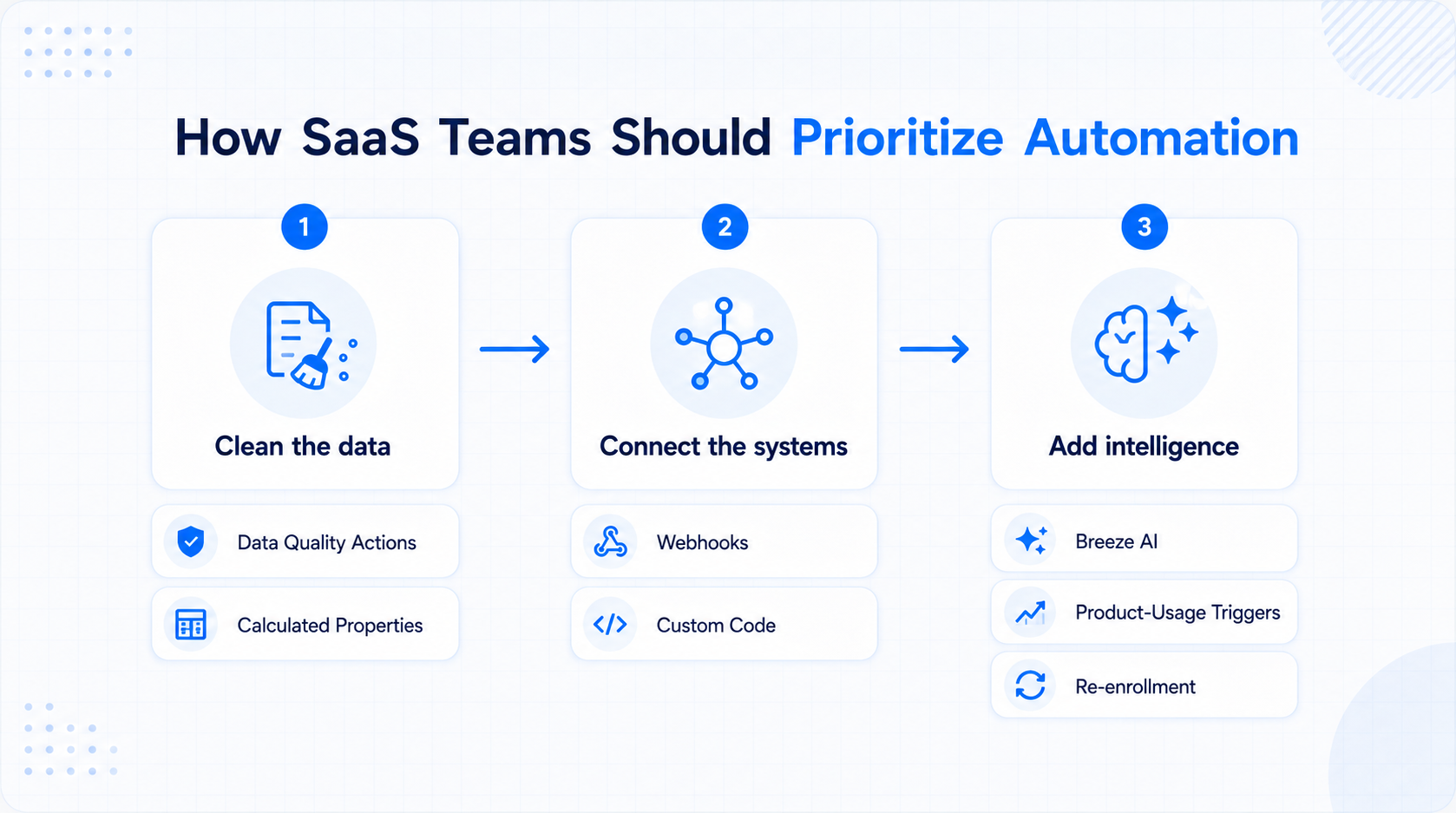
The sequence matters because building intelligence on top of dirty, disconnected data just automates the wrong outcomes faster. Fix the foundation, connect the systems, then add the smart layer.
One note on platform fit: this list assumes HubSpot is already the right CRM for your team. If you are still evaluating, the honest read from most B2B SaaS comparisons is that HubSpot wins on unified sales and marketing data and ease of adoption, while heavier enterprise needs like complex multi-product CPQ can favor other platforms. For teams already on HubSpot, the takeaway is simpler: you are almost certainly paying for capabilities you are not using.
Conclusion
The features that make HubSpot powerful for B2B SaaS are rarely the ones in the onboarding checklist. Custom code and webhooks connect the product and billing data that turns a CRM into a revenue system. Data quality and calculated properties give scoring and reporting something trustworthy to run on. Go-to actions and re-enrollment keep complex workflows maintainable. Breeze and product-usage triggers power the PQL and expansion motions that decide whether a SaaS company grows efficiently. Each one goes unused for a reason: onboarding scope, tier placement, or skill mix, and each reason is fixable. The teams that close that gap stop paying for a workflow engine they only partly run. If your team wants help mapping these features to your funnel, Webdew works with B2B SaaS companies to build exactly this kind of automation on HubSpot.
Dive Into our
Client Testimonials
Listen to business owners like you share how we’ve helped them grow. Your story could be next!





.svg)

“Recently we reached out to Webdew for a website inside of HubSpot and they also did some mocking automation for us.”
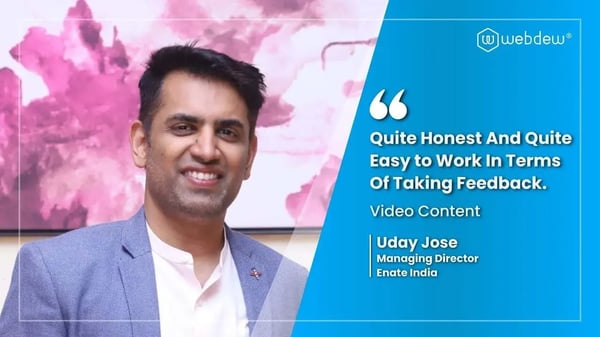
“Webdew team was quite honest and quite easy to work with in terms of taking feedback implementing it, showing that it doesn’t happen again and things like making sure that it meets our expectations.”
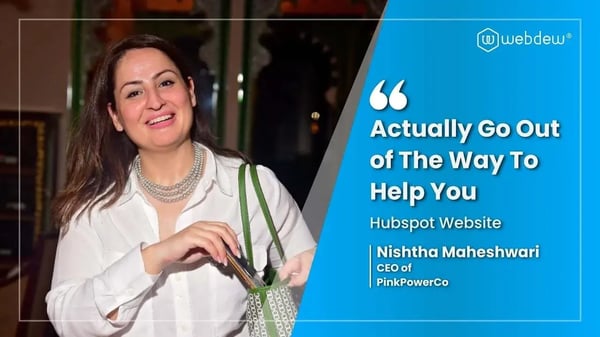
“We worked with webdew to help us build our HubSpot website and they did an amazing job with it. They were very quick.”

“webdew has helped us optimize the sales and marketing processes, and this is automating a lot of processes.”
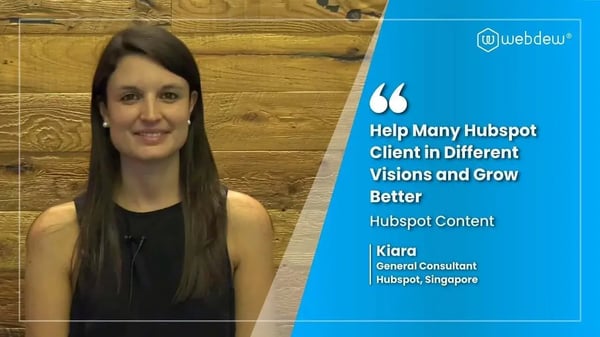
“Hi everyone my name is Kara and I work as a channel consultant at HubSpot Singapore. I’ve been working closely with webdew agency”

“Hi my name is Christian from OpenDoors Mortgage team and I’m in the mortgage business and just trying to work on new projects and kind of incorporating HubSpot for my operations”

“I’m one of the technology directors for Travelopia. We are the largest experiential travel company in the world. We’ve engaged webdew recently, not recently, it’s been about a couple of quarters now.”
“We worked with Chehak over the past several months to create a series of animated videos for an academic planner that we produce. And from the very beginning, she was absolutely professional and a pleasure to work with.”


6x
We helped clients multiply their website conversion rates through strategic design and UX optimization.
20%
Our marketing campaigns led to a 20% uplift in customer engagement across digital channels.
2K+
Delivered over 2,000 qualified leads through targeted funnels and smart automation.
120+
Our video content has earned 120,000+ views, driving brand awareness and audience retention.
“I recently had the pleasure of working with Chehak on a video demo project, and I was thoroughly impressed with her services.”
.svg)

Additional Resources
Access expert tips, trends, and strategies designed for small businesses. Stay ahead of the curve and make informed decisions with our comprehensive resources!