


 We typically respond the same day


Moving your CRM to HubSpot is not just a data transfer project. It is a chance to rebuild your revenue foundation.
A migration moves the database you have, not the database you want. If your current CRM contains duplicate contacts, outdated records, inconsistent fields, or inactive deals, those problems will move into HubSpot with you.
For B2B SaaS marketing and RevOps teams, a successful migration depends on what happens before the import. A proper CRM data audit helps identify data issues, improve accuracy, and create a structure that supports automation, reporting, and sales processes after launch.
This guide explains how to audit, clean, and prepare CRM data before migrating to HubSpot.
What Is a CRM Data Audit Before Migration?
A CRM data audit is the process of reviewing your existing database to identify inaccurate, incomplete, outdated, or inconsistent information before moving it into a new system.
Before a HubSpot migration, an audit typically includes:
- Identifying duplicate records
- Reviewing incomplete contact and company data
- Standardizing fields and values
- Validating contact information
- Mapping existing fields to HubSpot properties
- Creating data governance rules
The goal is simple: migrate clean data into HubSpot instead of transferring years of database issues.
Why CRM Data Quality Matters During a HubSpot Migration
A CRM migration creates a new foundation for your sales and marketing teams. Poor data quality can impact almost every HubSpot feature, including:
- Marketing automation workflows
- Lead scoring
- Sales routing
- Reporting dashboards
- Segmentation
- Revenue attribution
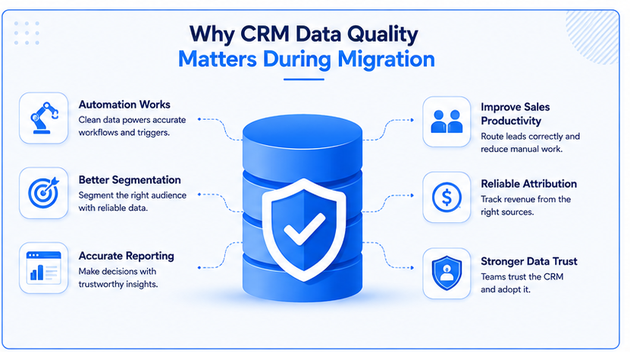
For example, duplicate contacts can create inaccurate engagement metrics. Missing lifecycle stages can break automation. Incorrect company information can impact segmentation and reporting.
HubSpot works best when your data structure reflects your actual revenue process.
The 5-Step CRM Data Audit Process Before HubSpot Migration
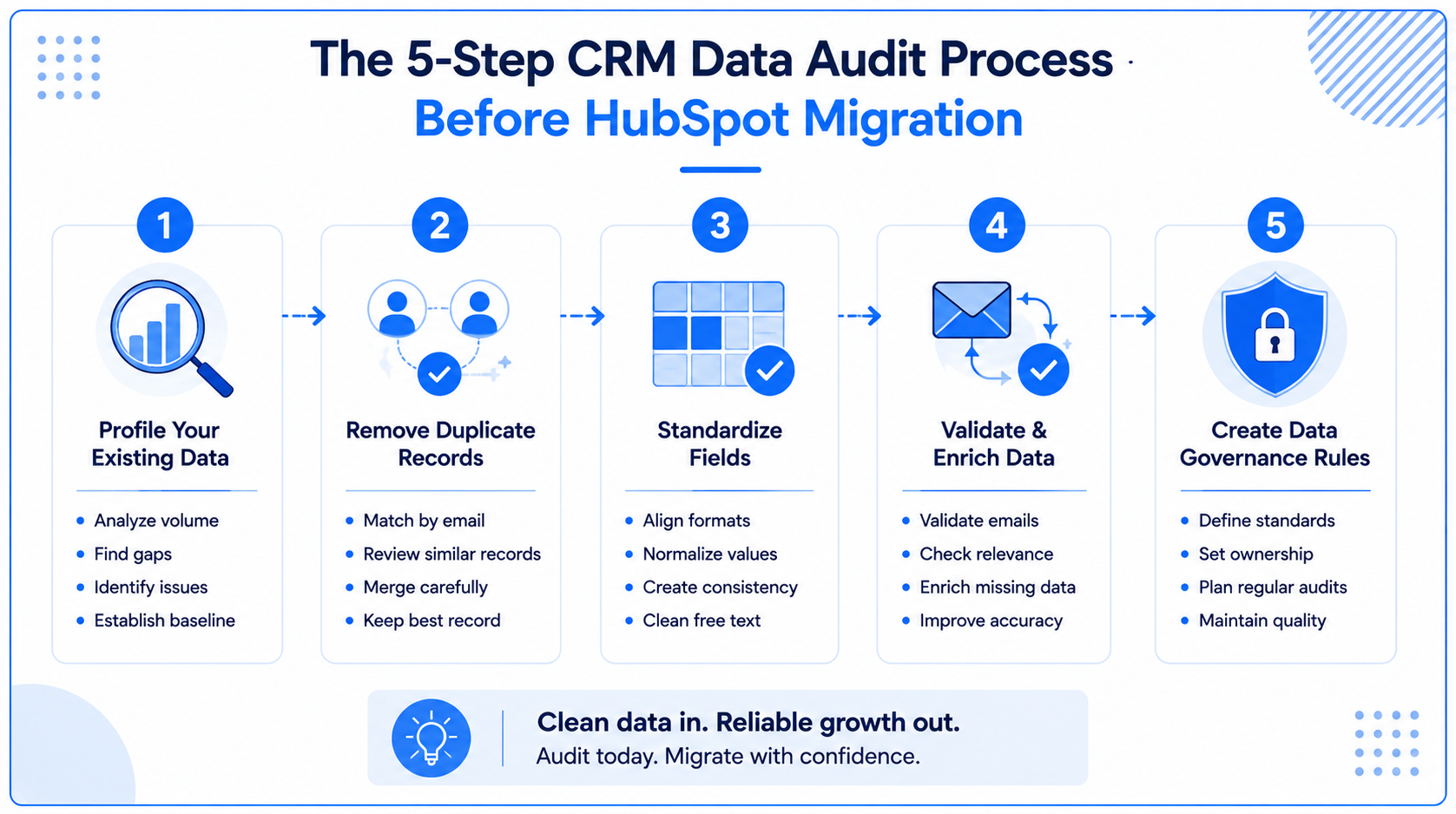
1. Profile Your Existing CRM Data
Before cleaning anything, understand what you currently have.
Start by analyzing:
- Total contacts and companies
- Duplicate records
- Missing required fields
- Invalid email addresses
- Inactive records
- Outdated deal stages
- Unused properties
This baseline helps prioritize cleanup efforts and measure improvement after migration.
For example, if 40% of your database has incomplete job titles or missing company associations, those records should be addressed before import.
2. Remove Duplicate Records
Duplicate data is one of the most common CRM implementation challenges.
Duplicates often happen because contacts enter through multiple sources:
- Website forms
- Events
- Sales imports
- Marketing campaigns
- Third-party tools
Duplicate records create problems such as:
- Multiple sales reps are contacting the same person
- Incorrect lead scoring
- Inflated contact counts
- Inaccurate reporting
Before migrating:
- Match records using email addresses
- Review similar names and companies
- Merge duplicates carefully
- Keep the record with the most complete activity history
Deduplicate before enrichment. Otherwise, you may spend resources enriching records that later get merged or removed.
3. Standardize CRM Fields
CRM data becomes difficult to manage when the same information appears in multiple formats.
Common examples:
Job titles
- VP Sales
- Vice President of Sales
- Head of Sales
Industries
- SaaS
- Software
- Technology Software
Lead sources
- Website
- Web
- Organic Search
Before migrating to HubSpot, define a standard format for important fields.
Focus on:
- Contact properties
- Company properties
- Lifecycle stages
- Lead sources
- Industries
- Revenue categories
- Deal stages
Standardized fields improve automation, reporting, and segmentation after migration.
4. Validate and Enrich Your Data
After removing duplicates and standardizing fields, validate the remaining records.
Data validation checks:
- Whether emails are deliverable
- Whether domains are active
- Whether contacts are still relevant
- Whether the company information is accurate
Data enrichment helps complete missing information, such as:
- Job titles
- Company size
- Industry
- Location
- Revenue information
The correct order is:
Clean → Standardize → Validate → Enrich
Enriching poor-quality data first wastes time and resources.
5. Create Data Governance Rules
A clean CRM does not stay clean without ownership.
Before moving into HubSpot, define:
- Required fields
- Property ownership
- Data entry standards
- Duplicate management process
- Regular cleanup schedule
A strong governance model should answer:
- Who manages CRM changes?
- Who approves new properties?
- Who owns data quality?
- How often is the database reviewed?
For most B2B SaaS companies, RevOps or Sales Operations usually owns CRM governance.
CRM Problems You Should Fix Before Migration
Before importing data into HubSpot, address these common issues:
Duplicate Contacts
Multiple records for the same person create reporting and sales problems.
Missing Information
Incomplete records cannot be properly routed, scored, or segmented.
Outdated Contact Data
Old emails, job titles, and company details reduce campaign effectiveness.
Incorrect Lifecycle Stages
Contacts stuck in outdated stages create inaccurate funnel reporting.
Orphaned Records
Contacts without owners, companies, or activities create database clutter.
Poor Property Structure
Unused or overlapping properties create confusion and automation errors.
Should You Clean CRM Data Before or After HubSpot Migration?
Clean your data before migration.
Importing poor-quality data into HubSpot creates additional problems because:
- Workflows may trigger incorrectly
- Reports may show inaccurate numbers
- Sales teams may lose trust in the CRM
- Cleanup becomes harder after launch
However, migration cleanup should not be a one-time activity.
CRM data naturally changes over time. Businesses grow, employees move roles, companies change, and customer information becomes outdated.
A successful HubSpot implementation requires ongoing data management.
How Clean CRM Data Improves HubSpot Performance
Clean data allows teams to fully use HubSpot capabilities.
With accurate data, businesses can:
- Build reliable marketing automation
- Create better customer segments
- Improve sales follow-up
- Track revenue attribution
- Build accurate dashboards
- Improve forecasting
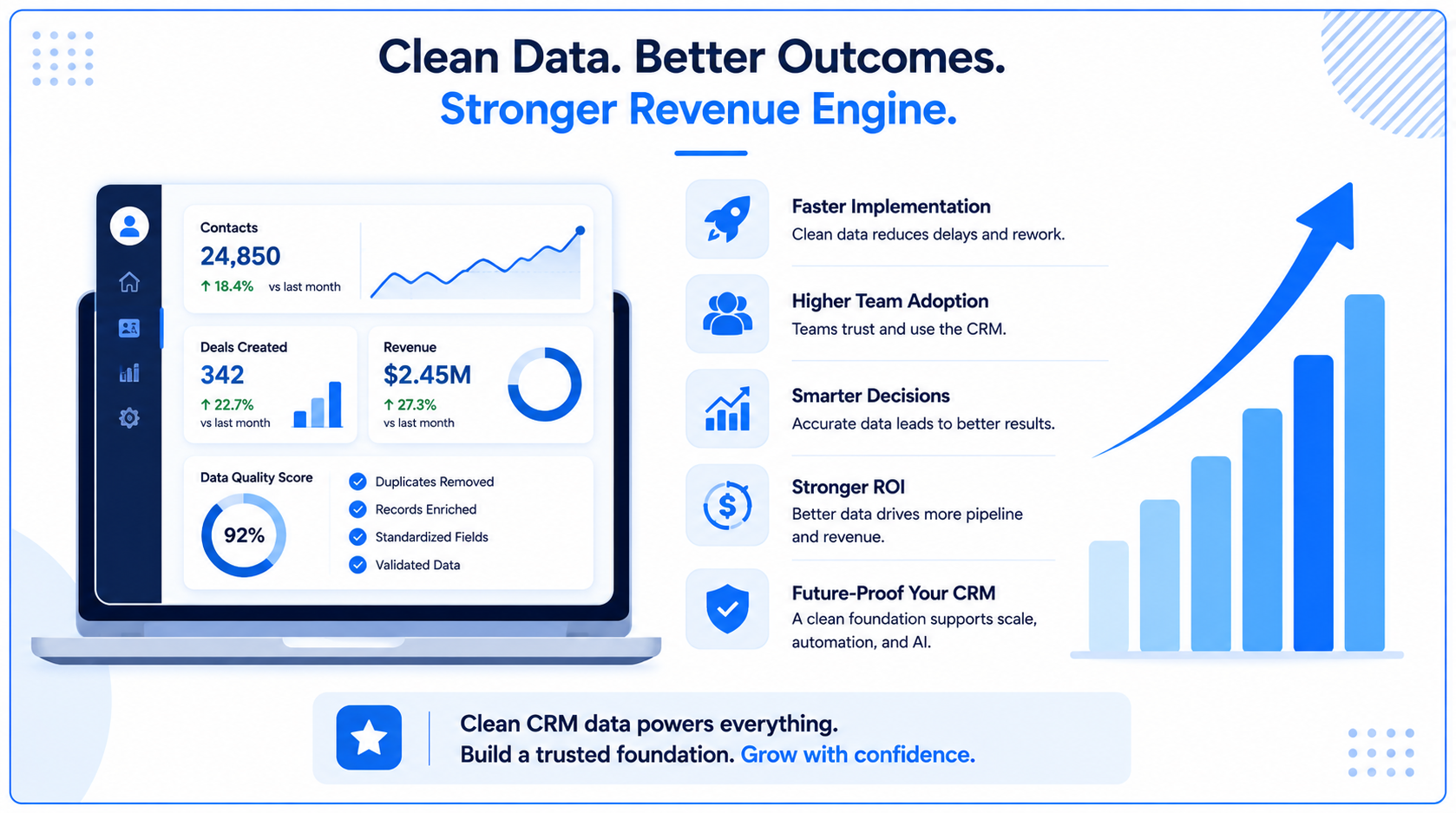
This becomes even more important as companies adopt AI-powered tools. AI recommendations, predictive scoring, and automation depend on accurate CRM data.
Bad data does not disappear with better technology. It becomes amplified.
HubSpot Migration Best Practices
Before your migration:
Map Every Field
Create a clear mapping between your existing CRM fields and HubSpot properties.
Remove Unnecessary Data
Do not migrate unused contacts, outdated fields, or irrelevant historical information.
Test Before Launch
Import a small data sample first to validate:
- Associations
- Workflows
- Reporting
- Automation
Document Your Process
Maintain documentation for:
- Property definitions
- Workflow logic
- Ownership rules
- Data standards
This makes future CRM management easier.
How Webdew Helps With HubSpot Data Migration
A successful HubSpot migration requires more than moving records. It requires rebuilding your CRM around your business processes.
Webdew helps businesses with:
- CRM audits
- Data cleanup
- HubSpot migration planning
- Property mapping
- Workflow setup
- Automation strategy
- CRM optimization
If you need a complete CRM foundation, explore our guides on:
Related Webdew Case Studies
Webdew has helped businesses improve CRM structure, automation, and operational efficiency.
Explore:
These examples show how better CRM architecture, cleaner data, and improved processes help teams scale.
Key Takeaways
- A HubSpot migration is only as successful as the data you bring into it.
- Audit and clean CRM data before importing it.
- Remove duplicates before enrichment.
- Standardize properties before building workflows.
- Create governance rules to maintain data quality.
- Clean data helps HubSpot automation, reporting, and AI capabilities perform better.
A CRM migration is not just moving information. It is an opportunity to build a cleaner, smarter revenue system for the future.
Dive Into our
Client Testimonials
Listen to business owners like you share how we’ve helped them grow. Your story could be next!





.svg)

“Recently we reached out to Webdew for a website inside of HubSpot and they also did some mocking automation for us.”

“Webdew team was quite honest and quite easy to work with in terms of taking feedback implementing it, showing that it doesn’t happen again and things like making sure that it meets our expectations.”

“We worked with webdew to help us build our HubSpot website and they did an amazing job with it. They were very quick.”

“webdew has helped us optimize the sales and marketing processes, and this is automating a lot of processes.”

“Hi everyone my name is Kara and I work as a channel consultant at HubSpot Singapore. I’ve been working closely with webdew agency”

“Hi my name is Christian from OpenDoors Mortgage team and I’m in the mortgage business and just trying to work on new projects and kind of incorporating HubSpot for my operations”

“I’m one of the technology directors for Travelopia. We are the largest experiential travel company in the world. We’ve engaged webdew recently, not recently, it’s been about a couple of quarters now.”
“We worked with Chehak over the past several months to create a series of animated videos for an academic planner that we produce. And from the very beginning, she was absolutely professional and a pleasure to work with.”


6x
We helped clients multiply their website conversion rates through strategic design and UX optimization.
20%
Our marketing campaigns led to a 20% uplift in customer engagement across digital channels.
2K+
Delivered over 2,000 qualified leads through targeted funnels and smart automation.
120+
Our video content has earned 120,000+ views, driving brand awareness and audience retention.
“I recently had the pleasure of working with Chehak on a video demo project, and I was thoroughly impressed with her services.”
.svg)
