

 We typically respond the same day

Whenever we run a business, one thing that we all need to keep on the priority list is customers’ demands and needs. Offering the right service or product at the right time to the right customer is what makes your business successful.
The worst part of this entire FAQ page designing process is that the information that businesses gather about their customers or target audience is not correct, due to which they face difficulty in generating revenue.
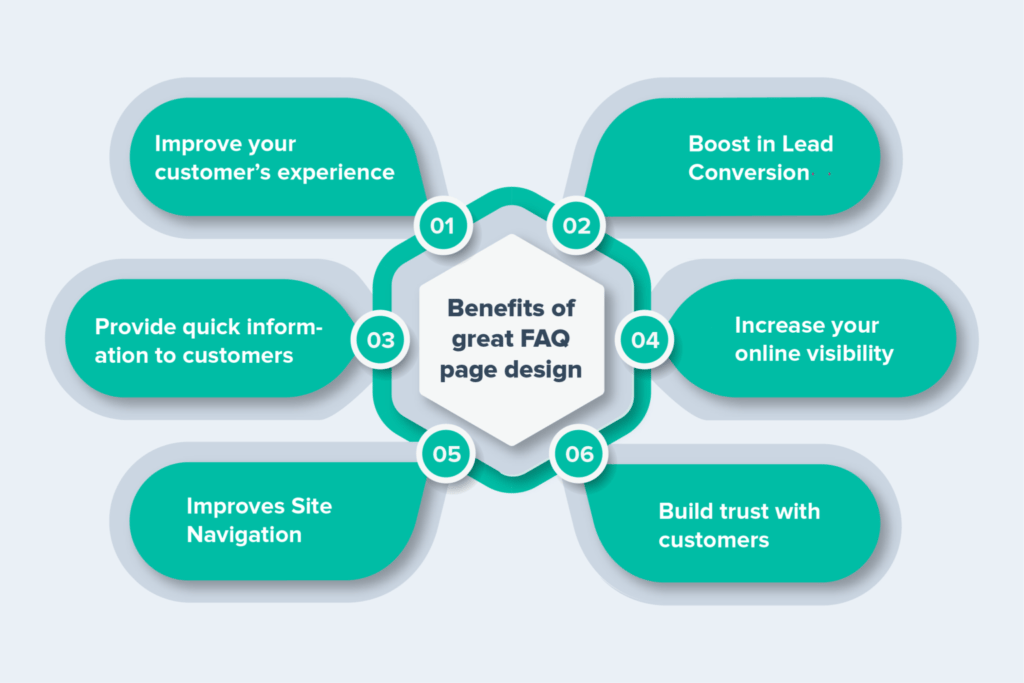
This is the reason why many successful businesses are now creating appealing FAQ pages on their websites. It not only helps in getting the customer’s feedback but also improves your response rate.
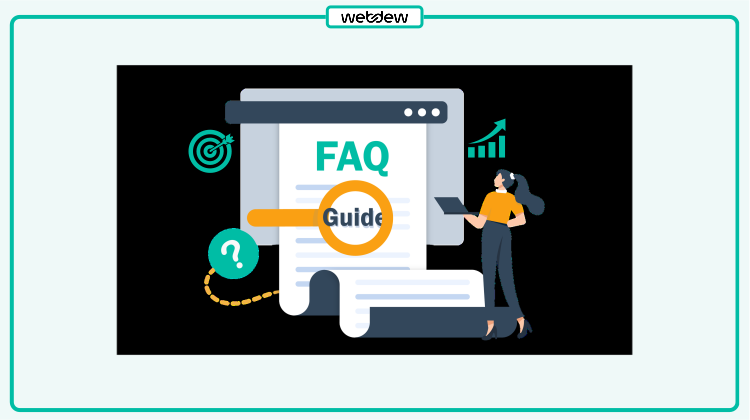
FAQ pages are specially designed for customer support on websites. FAQ pages are a very easy and customer-friendly way to share the answer to common questions held by the visitors.
Yes, it is one of the best ways to help the audience visiting your site. Sharing the best possible knowledge through FAQ pages will save a lot of visitors time and help them reach the destination faster. It would not be wrong to consider FAQ as a repository of questions that visitors might search time and again.
Are you planning to create a FAQ page for your website? But don’t know how? Then you are at the right place. In this blog, we learn you will get to know about how we can make an effective FAQ page on a website.
When it comes to creating an effective FAQ page, then you need to focus a lot on the FAQ page UI/UX. Say if it is user-friendly and fulfills the viewer’s demand easily, then you will surely see excellent results without putting in much effort and time.
Now, let’s jump onto some tips and tricks for making an effective FAQ page design.
Tips and Tricks to Design an Effective FAQ Page
Let’s begin…
1. Visitor Friendly
Everything on the FAQ page should be represented formally, and you need to ensure that the design is not complex.
Some developers make the design complex for showing creativity on the page, but we have to create a design that will be easily understandable by visitors so that they get their answers easily.
Try to make the design looks easy to use and simple as it makes the design more genuine and customer trustable.
2. Color Scheme
An attractive color scheme makes the FAQ page more representable. Normally the FAQ page color scheme is according to the colors used for the whole website but how to use the respective color scheme in the FAQ is what makes the design look more attractive and simple.
So, I would recommend you avoid dark and bold text and colors in the FAQ and try to make the questions field a little more highlighted than the answer field.
3. Search Field
It’s possible that on your FAQ page, there are lots of questions, and it’s difficult for visitors to find the FAQ of their need.
So here, we can add a search field on the website page so that they can easily search the respective query without investing much time. It will be very helpful for customers and visitors to find relevant answers to their questions very quickly and easily.
4. Use Images and Links
Sometimes fresh visitors can’t understand the tricky answers just by reading text, so here we can use images, screenshots, and links in the FAQ answers for better visual customer support.
Thus make sure, each FAQ answer you add on your website includes accurate links and images so that it becomes effortless for the audience to make an informed decision.
5. Well Organized by Category
Make sure FAQ page design should be efficient for well organizing the FAQ category. A single company can provide multiple services or products, so organizing the FAQ category-wise or related to web services will be better.
Thus, make sure whenever you arrange the FAQs, they should be structured in an accurate form.
Once you categorize the content, make sure you arrange the topics and subtopics accurately and in an organized structure. It will help you win the audience’s heart without investing much time.
6. User Experience
A good user experience attracts the visitor and helps to get traffic on-page. In some websites, the FAQ page listing of questions is used, and links are attached to questions, which redirect the visitor to the answer page.
But now developers are trying to give the best user experience to their visitors, so they use an accordion.
Accordion is just a listing of questions where the answer is given in its dropdown. Here when visitors click on any question, then the answer to the question appears in the dropdown.
It is more time-efficient because it does not redirect the visitor to a new page. The viewer will get an answer on the same page at the bottom of the related question.
7. Add Social Button
To make your FAQ page more appealing and responsive, you can also add a social media button. Once you think about making your FAQ page socially, you will see a huge improvement in the retention rate on the page.
If you add the option of a social media button, the visitors will get the opportunity to connect with you through messages, social media pages, forums, etc.
This tip will not only help you build the connection but also allow you to improve your website performance.
The Final Say
Designing a perfect FAQ page is not a cakewalk. Website designers need to consider a lot of factors in making the right choice. Hopefully, the above tips will help you understand how you can easily develop a perfect website page for your website.
So, what are you looking for? Start catering to the needs of your customers by writing a good FAQ page. Still, if you have any doubt and want to create professional website, feel free to contact our professional website designers.
Editor– Divya Verma
Dive Into our
Client Testimonials
Listen to business owners like you share how we’ve helped them grow. Your story could be next!





.svg)

“Recently we reached out to Webdew for a website inside of HubSpot and they also did some mocking automation for us.”

“Webdew team was quite honest and quite easy to work with in terms of taking feedback implementing it, showing that it doesn’t happen again and things like making sure that it meets our expectations.”

“We worked with webdew to help us build our HubSpot website and they did an amazing job with it. They were very quick.”

“webdew has helped us optimize the sales and marketing processes, and this is automating a lot of processes.”

“Hi everyone my name is Kara and I work as a channel consultant at HubSpot Singapore. I’ve been working closely with webdew agency”

“Hi my name is Christian from OpenDoors Mortgage team and I’m in the mortgage business and just trying to work on new projects and kind of incorporating HubSpot for my operations”

“I’m one of the technology directors for Travelopia. We are the largest experiential travel company in the world. We’ve engaged webdew recently, not recently, it’s been about a couple of quarters now.”
“We worked with Chehak over the past several months to create a series of animated videos for an academic planner that we produce. And from the very beginning, she was absolutely professional and a pleasure to work with.”


6x
We helped clients multiply their website conversion rates through strategic design and UX optimization.
20%
Our marketing campaigns led to a 20% uplift in customer engagement across digital channels.
2K+
Delivered over 2,000 qualified leads through targeted funnels and smart automation.
120+
Our video content has earned 120,000+ views, driving brand awareness and audience retention.
“I recently had the pleasure of working with Chehak on a video demo project, and I was thoroughly impressed with her services.”
.svg)

Additional Resources
Access expert tips, trends, and strategies designed for small businesses. Stay ahead of the curve and make informed decisions with our comprehensive resources!